
The 9 Best Internal Linking Plugins for WordPress (Automatic + Manual)
Are you looking for the best internal linking plugins to improve your SEO strategy?
Internal links play an important role in search engine optimization (SEO). They help search engines discover your content and rank it higher in search results. An internal linking plugin can help automate the process and provide suggestions for creating better links.
In this article, we'll show you some of the best internal linking plugins for WordPress.
Why Use an Internal Linking Plugin for WordPress?
Internal links are links between pages on your own website. Having internal links is important for your WordPress SEO. They help search engines like Google crawl your website and discover new content to index and rank.
For example, the previous paragraph contains an internal link to our relevant content, which not only helps users but also improves our search engine rankings.
Generally speaking, the more links a page has pointing to it, the more likely it is to rank higher in search results. That means you can use internal links to point to important pages on your site as a way to increase traffic to that content.
Internal links also help your visitors easily find related articles and provide a better overall user experience. This can also help increase page views and reduce your bounce rate.
WordPress offers an easy way to add links to your blog posts and pages. However, manually adding internal links can be time-consuming, and you'll likely miss the opportunity to link to an important page.
This is where a WordPress internal linking plugin comes in handy. It helps you save time and allows you to automatically link specific keywords and key focus phrases.
It also offers suggestions for adding internal links. That way, you won't miss out on linking to essential pages. It even helps you find content that doesn't have any internal links and offers recommendations for building internal links.
That said, let's take a look at the best internal linking plugins for WordPress.
1. All in One SEO (AIOSEO)
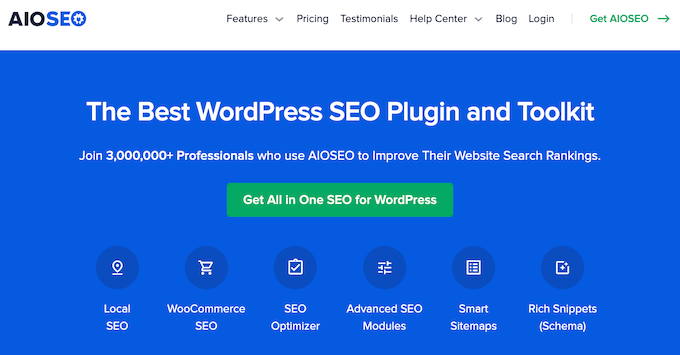
All in One SEO (AIOSEO) It is the best SEO plugin for WordPress. More than 3 million people use the plugin to optimize their sites for search engines.
The plugin is beginner-friendly and helps you improve your SEO score without needing any technical knowledge.
It scans the links on your WordPress website and provides a detailed report. You can view the number of internal links, outbound links, and affiliate links for each post and page.
The plugin also highlights opportunities to improve your internal links. You can see the exact phrase and the anchor text that the link will use. With the click of a button, you can add them to your content.
In addition, you can view orphaned pages. These are pages that don't have any internal links. Adding links to these pages can help them get indexed faster and rank higher in search results.
AIOSEO also lets you quickly search for blog posts to link to from the WordPress content editor, and offers options for adding nofollow, sponsored, and UGC (user-generated content) tags.
In addition to that, AIOSEO offers many other powerful features to optimize your website. You can create XML sitemaps, perform an SEO audit, find and fix broken links, optimize your site for rich snippets, and much more.
2. MonsterInsights
MonsterInsights It is the best Google Analytics plugin for WordPress and is trusted by more than 3 million professionals.
It offers a "Popular Posts" feature that lets you display your best articles anywhere on your site. Using the "Inline Popular Posts" option, you can display your best blog posts within your content.
The plugin offers a variety of themes to choose from, and you can customize the color and size of the title, tagline, and background. MonsterInsights also lets you choose whether to display popular posts based on views, comments, or the number of shares.
With MonsterInsights, you can also track clicks on affiliate links and outbound links on your WordPress website. This way, you can see how people interact with your content and which links they click on the most.
Other advanced features offered by MonsterInsights include e-commerce tracking, form conversion tracking, dashboard reports, and much more.
3. Yoast SEO
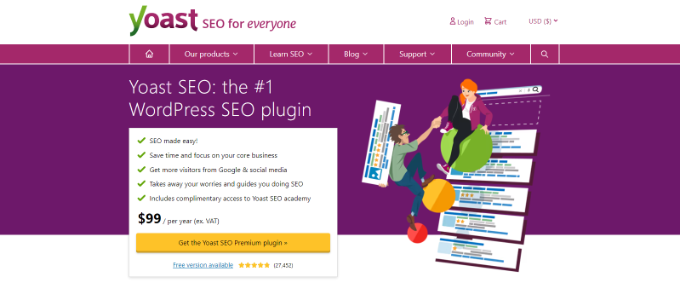
Yoast SEO It's another popular SEO tool for WordPress that helps you optimize your site for search engines. It's an alternative to All in One SEO.
The plugin also includes a basic internal linking tool for premium users. It scans your content for internal links and then offers suggestions for improving your links right from the WordPress content editor.
However, it is not as comprehensive as the All in One SEO link builder.
Yoast offers other basic SEO features, such as adding SEO titles and meta descriptions, adding images for Facebook and Twitter cards, generating XML sitemaps, and more.
4. Internal Link Juicer
You can add specific keywords and phrases in the plugin, and it will add links for you. This gives you more control over your internal links, such as diversifying the anchor text, so they appear natural and don't look like they were generated by a computer.
The plugin also lets you blacklist and whitelist specific posts to prevent internal links. This way, you can prevent authors from linking to certain articles and pages. It even offers an option to limit the number of links per post.
5. Rank Math
Rank Math It's another great SEO plugin for WordPress that includes basic features to help you improve your internal linking strategy. The plugin quickly scans your website for links and then offers suggestions for adding internal links.
Displays suggestions within your WordPress content editor. You can simply copy the recommended link and add it to your text.
The Rank Math link builder isn't as comprehensive as AIOSEO; rather, it's more in line with basic link-building solutions like Yoast.
In addition to link suggestions, the plugin also offers other features such as Google Schema Markup, keyword ranking tracking, 404 error tracking, a redirect manager, and more.
6. Link Whisper
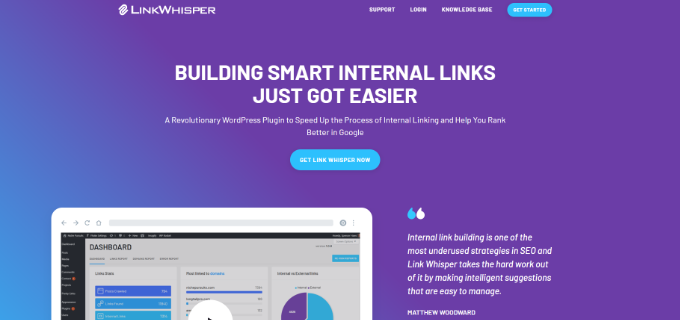
Link Whisper It is a premium WordPress plugin that helps you create internal links for your website and boost your search engine rankings.
Like many other plugins on our list, it also suggests adding internal links to your content right within the WordPress editor. The plugin is easy to use and offers a simple interface.
Using the plugin, you can also find blog posts and pages with few or no internal links. Then, using the internal link suggestion tool, you can add links to these orphaned pages.
7. Interlinks Manager
Interlinks Manager It is an advanced internal linking plugin for WordPress. The plugin allows you to easily manage and optimize your internal links, and you can view the data within your WordPress admin area.
This plugin stands out from the rest because it uses an algorithm to detect whether your internal links are properly optimized and estimates the link juice of each link.
Using this information, you can improve the distribution of link juice and build internal links to important pages to boost your SEO. The plugin also offers options to customize the algorithm and allows you to adjust it to suit your needs.
8. YARPP
YARPP or Another Related Posts Plugin is a free plugin that's ideal for displaying your top landing pages anywhere on your website.
As your website begins to grow, your main pages might get buried under new pages. With this plugin, you can make your main pages visible to visitors and create internal links so that search engines can also find them easily on your site.
What sets this plugin apart is that it not only lets you display related pages, but you can also use it to display related blog posts, media files, and call-to-action buttons.
YARPP is extremely easy to use and offers options for changing the algorithm that determines which pages and posts to display. It also comes with pre-built themes, and you can customize them to match your website's design.
9. Internal Links Manager

The plugin focuses solely on adding internal links when certain words and phrases are mentioned in the content. All you have to do is provide the URL and the keyword for the link.
The user interface is easy to use. However, you don't get suggestions for internal links or a report showing how many internal and external links there are on your website.
Which internal linking plugin is the best?
After reviewing the list, we believe that All in One SEO (AIOSEO) It's the best internal linking plugin for WordPress.
It provides a comprehensive report on internal links and offers detailed suggestions for adding internal links to your content. AIOSEO also helps you find pages that don't have any internal links.
Aside from that, it's a comprehensive SEO toolkit with powerful features. You can use it to optimize your WordPress site for search engines and grow your organic traffic.
At WPBeginner, we use AIOSEO to optimize our site for better search engine rankings.
We hope this article has helped you choose the best internal linking plugin for WordPress. You might also want to check out our guide on how to get a free SSL certificate for your website, or our comparison of the best domain registrars.
Si quieres conocer otros artículos parecidos a Los 9 mejores plugins de enlaces internos para WordPress (automáticos + manuales) puedes visitar la categoría Plugins Wordpress.
 Español Español
  English
  Português do Brasil
Leave a Reply