
Enfold vs. Total Theme | Comparing WordPress Themes
In this post, we'll compare Enfold and Total Theme so you can learn about the benefits of each theme and everything you need to know when choosing one over the other—don't miss it!
Enfold It is said to be the highest-rated track on Themeforest. This item has a rating of 4.82 out of 5, based on reviews from 10,431 buyers.
This is a very high average, although we know that an issue like Astra It has a rating of 4.99. It should be noted that the Astra Theme It is not sold on Themeforest.
The high rating is well-deserved, and the theme is very easy to set up in just a minute or two. Enfold's support team is also very competent and responds quickly to support tickets.
Another point is the theme's attractive design across all devices (PC, laptop, tablet). There are many more advantages, but we'll discuss them in detail below.
- Enfold Premium WordPress Theme: Review
- Enfold Page Builder
- Enfold Style Generator
- Enfold Header Styles
- Enfold Online Store
- Enfold SEO
- Conclusion of the Review of the Enfold Topic
- Total Theme: Review
- Total: 40+ demo websites
- Total Theme: Section Templates
- Total Theme: PageBuilder
- Review of the Topic: Elements
- Overall Theme: Colors
- Overview of the Topic: WooCommerce
- Total Theme Review: Conclusion
- Conclusion: Enfold vs. Total Theme

Enfold Not only does it have a high rating, but it has also sold more than 238,370 copies, which is equally impressive and another sign of just how good this song must be.
The 9-person team at Kriesi, based in Austria, has already developed many projects, but Enfold is their best one yet.
Enfold Page Builder
As you can see below, with Avia—Enfold's proprietary page builder—you can build your pages super fast. There are better page builders out there, but Avia definitely holds its own.
Enfold makes it easy to get your website up and running, offering beautiful designs that can be installed with a single click.
Enfold offers you a wide selection of dozens of complete designs, with multiple demos available for each niche.
Once it's installed, you'll use the professional page builder to edit the content. Add your own logo and customize the photos and text. This way, you can quickly create your own design.
Enfold Style Generator
Even without any technical knowledge, you can develop your own style using the style generator. Start by choosing one of the color schemes, which you can refine later.
In this review of the Enfold theme, we must certainly mention that Enfold is designed with your convenience in mind, as it works flawlessly and without any issues.
Enfold Header Styles
Another great example of how easily and quickly you can work is how simple it is to customize the header. Choose from a variety of beautiful styles with a single click.
Enfold Online Store
Enfold It is WooCommerce-ready and, therefore, works perfectly with this plugin. The one-click demo websites also include many designs you can use to get your store started.
It's good to know for people who want to develop a restaurant website that Enfold works perfectly with WooCommerce Bookings, one of the best plugins available for efficiently managing your reservations.
Enfold SEO
Enfold doesn't want to slow you down with a slow-loading website, so it has taken great care to write clean code.
Websites that load quickly simply get more visitors, and people stay on them longer. Google also knows which sites are fast and which aren't, which is also great for your search results.
Conclusion of the Review of the Enfold Topic
As you can imagine, there's so much more you can do with Enfold. That's why we won't bore you by listing all the options it offers—instead, we've limited ourselves to the main features. You can find all the details on the Enfold website.
As you can see, Enfold is available for $59. Now, in our site You can get this product exactly as it's offered on Themeforest for just a fraction of the price. How much? $4.99!!! Don't wait—get this product right now:
Enfold | Responsive Multi-purpose Theme
- loads quickly.
- You'll be able to build any website or online store you can imagine.
- The page builder works quickly and smoothly.
- This is a topic for the elite.
Continuing with our post on Enfold vs. Total Theme, comparing WordPress themes, we’re going to take a closer look at the Total – Responsive Multi-Purpose WordPress Theme. Keep reading to learn more about this great premium theme!
The Topic Total It has been around since 2013 and has received little attention until now. After some radical improvements, the song is on track to reach a high position on the chart of best-selling songs in Themeforest.net and automatically becomes more famous.
Total Theme: Review
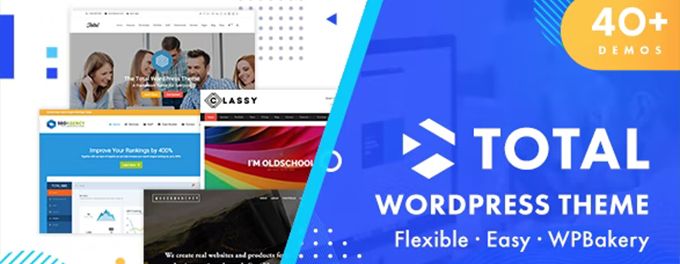
An average rating of 4.86 out of 5 is very good in this market and overall as well. Therefore, it's no surprise that more than 50,000 units have been sold so far.
Total: 40+ demo websites
In this review, we'll start by taking a look at their demo websites. In the introductory image at the top, you can see that they advertise having more than 40 demo websites.
We could say that it isn't a very high number in and of itself, but the fact that they mention it shows that they're proud of it.
These demos are very well designed, and there are high-quality, real-world demos for all kinds of niches. Below, we've highlighted a few of them, but feel free to check them all out on your own sites.
Total Theme: Section Templates
In addition to the demo websites we just mentioned, there are even more section templates available to you.
Any pre-made sections you like can be dragged onto your page. The number of combinations is unlimited.
This way, you'll save a lot of time by not having to build everything yourself.
Total Theme: PageBuilder
The topic focuses on the use of the WP-Bakery Page Builder. This page builder has been around for a long time and can compete with the best page builders.
Review of the Topic: Elements
Elements are the building blocks that you place in sections and columns to create the actual layout.
At the same time, many widgets are also functional. You can see the main ones in the image below.
Overall Theme: Colors
The Total theme offers standard color schemes for you to choose from. It also lets you customize the colors to your liking, since it includes a gradient builder like the one shown below.
Overview of the Topic: WooCommerce
The Total theme is 100%, which is compatible with WooCommerce, but at first glance, it doesn't seem to have any of the fantastic extras that true WooCommerce themes have.
If you're building a blog or a corporate website, a simple online store on the side might be enough. However, we don't recommend using this theme for a full-fledged online store.
Total Theme Review: Conclusion
You've reached the end of our review of Total Theme. We can say that it's a fantastic theme, as it includes a built-in page builder and features user-friendly settings that let you create stunning WordPress-powered websites with ease.
In addition, as we saw earlier, it comes with several precompiled demos to help you get started. With just a few clicks, you can import your demo and then modify it to suit your needs.
Discover all the great features of this theme for yourself—for just $4.99 on our website:
Total – Responsive Multi-Purpose WordPress Theme
- It has several demos.
- You'll be able to build your website quickly and easily.
- The page builder is very effective.
- This is a topic for the elite.
Conclusion: Enfold vs. Total Theme
Both themes are compatible with the best page builders. Enfold comes with its own excellent page builder, called Avia, and Total includes a full, advanced version of WP-Bakery.
On the other hand, Enfold is a multipurpose theme with lots of settings—you have to love that—but some people don't like it because sometimes things are really hard to find.
In addition, Total loads much faster than Enfold and is also very versatile and easy to customize. Both themes are definitely highly recommended.
Go ahead and download the one you like best right now for just $4.99, and get a year of FREE updates!
👉Enfold | Responsive Multi-purpose Theme
👉Total – Responsive Multi-Purpose WordPress Theme
You can also subscribe to our memberships: monthly or yearly and access to more than 7,800 products!
Si quieres conocer otros artículos parecidos a Enfold vs Total Theme | comparando temas WordPress puedes visitar la categoría Temas Wordpress.
 Español Español
  English
  Português do Brasil
Leave a Reply