
Novamira Pro: A Complete Guide to Connecting AI to WordPress (2026)
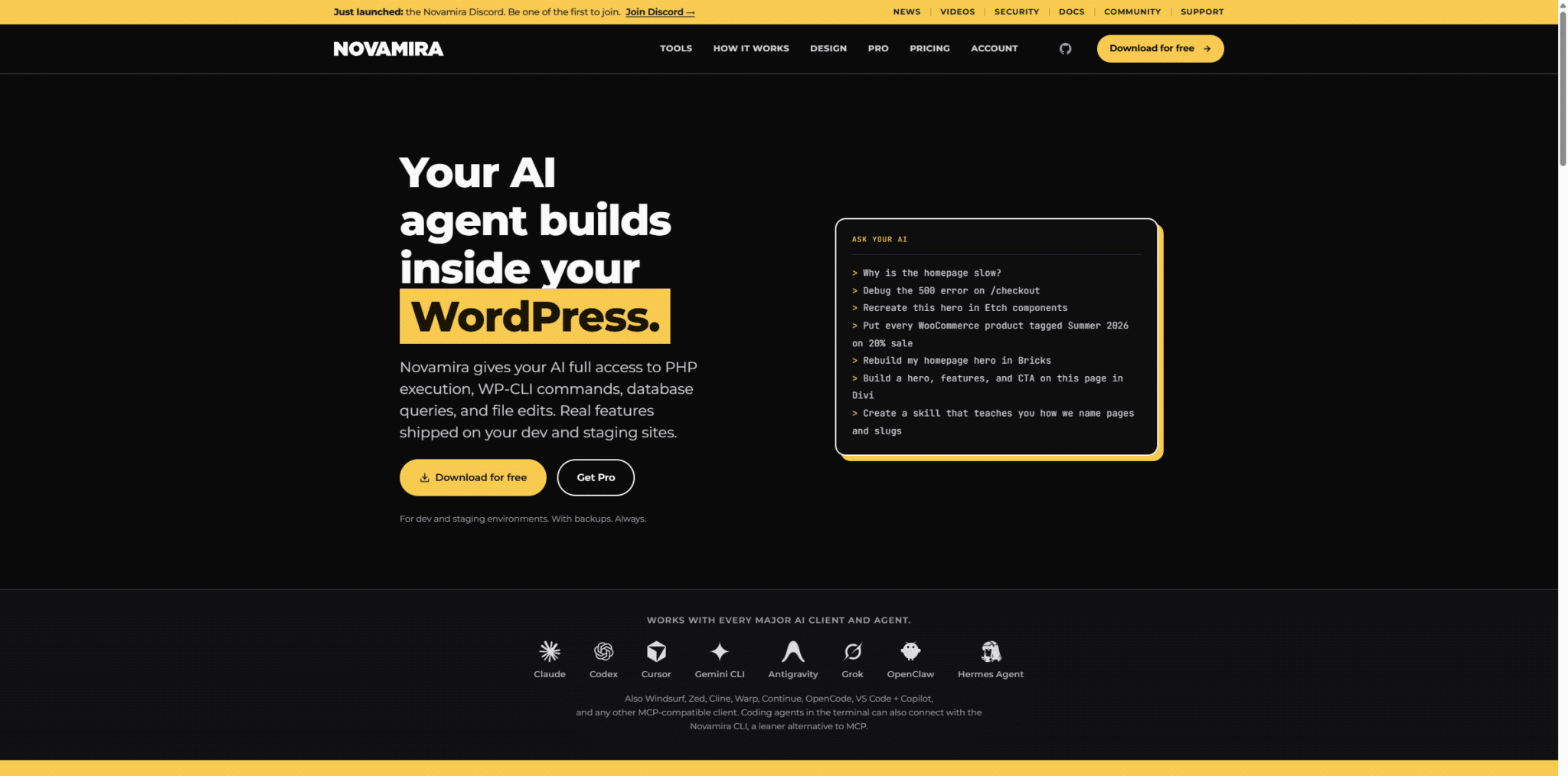
If you work with WordPress and AI agents (Cursor, Claude, Codex, Gemini CLI, and others), you’ve probably already experienced this never-ending cycle: the model suggests a snippet, you paste it, it fails, you go back to the chat, copy an error message, and so on, over and over again. Novamira Break that cycle: Connect your AI client directly to your WordPress installation using MCP (Model Context Protocol), so that the agent can execute PHP, read and write files, query the database, and build actual functionality on your development or staging site.
This article summarizes what Novamira Free is and what it offers Novamira Pro, how to connect an AI client, and what security practices are recommended in the official documentation (updated as of September 2026). The plugin is updated very frequently (almost every week), so it's always a good idea to have the latest updated version.
- What problem does Novamira solve?
- How does it work (MCP + Abilities API)?
- What does Novamira Free include?
- Requirements and Quick Installation
- How do you connect your AI client?
- Novamira Pro: History and Specializations
- Recent Updates (September 2026)
- Free vs. Pro (Practical Comparison)
- Use cases where it shines
- First 15 Minutes Checklist
- Frequently Asked Questions
- Conclusion
What problem does Novamira solve?
Without Novamira, asking an AI to “fix WordPress” involves a manual process: the model can’t see your database, can’t test its own code in the live environment, and can’t inspect how your plugins behave. You’re the intermediary at every step.
With Novamira, the agent connects to your WordPress site via MCP. You can view data, test changes, review results, and iterate within the same conversation. You're still in charge: With most MCP clients, you can require approval before using each tool.
«Your AI client connects directly to your WordPress site. Novamira is a plugin that runs on your server; it is not a proxy or an externally hosted service.»
novamira.ai — Product Message
How does it work (MCP + Abilities API)?
Novamira relies on three standards from the WordPress/AI ecosystem:
- WordPress Abilities API (as of WordPress 6.9): Records executable capabilities in a standardized way.
- MCP Adapter (official WordPress plugin, included with Novamira): exposes these capabilities to MCP clients.
- Model Context Protocol (MCP): the open protocol used by Claude, Cursor, VS Code, Windsurf, Codex, Gemini CLI, and many others.
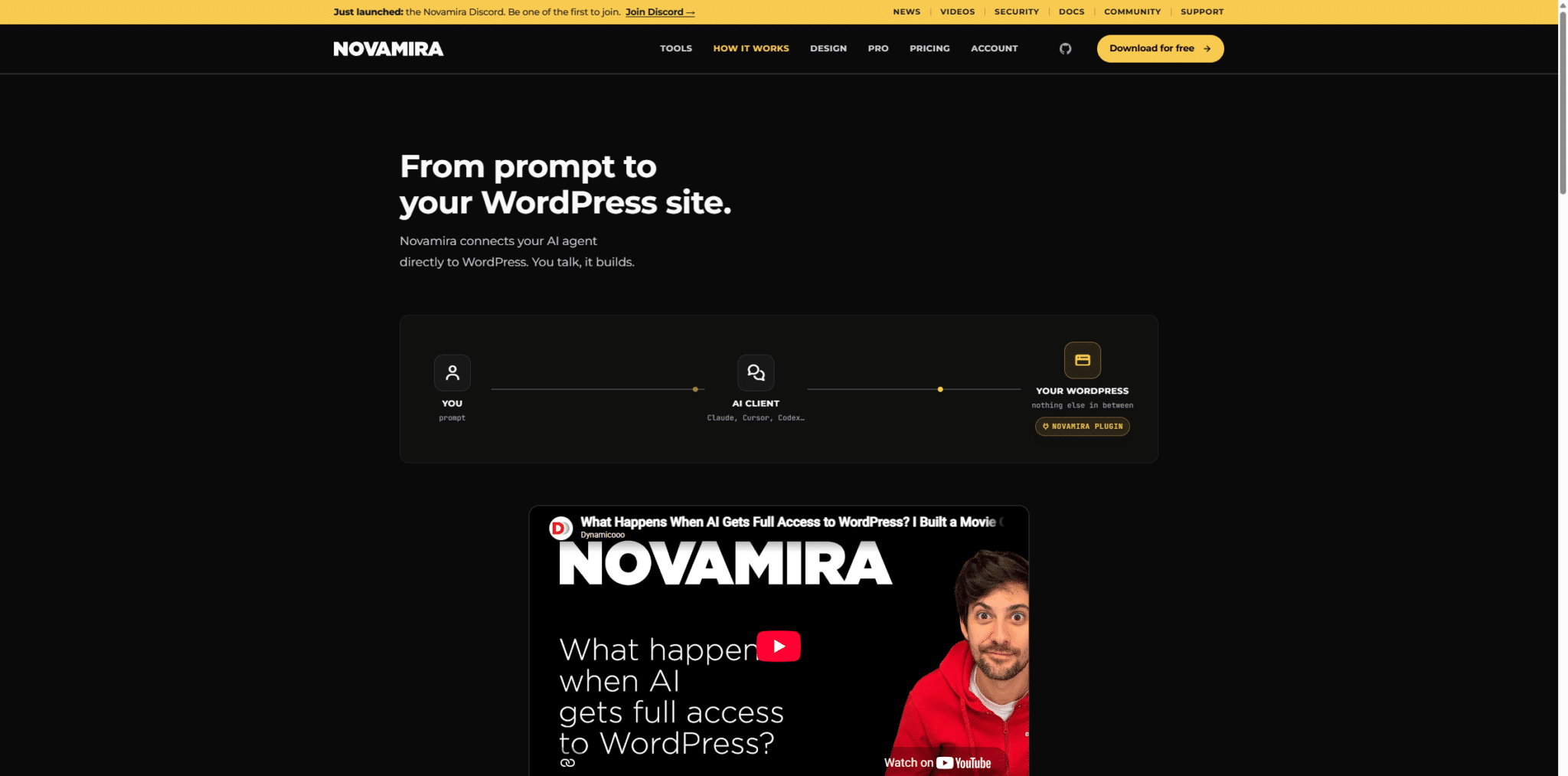
The typical workflow described in the documentation is: discover (read code, topic, relevant tables) → to prototype (Test PHP on your actual WordPress site) → save (stable code in the sandbox) → to teach (skills in Markdown) → expand (actual tools uploaded to the server).
What does Novamira Free include?
The free version is the core. According to the "Getting Started" documentation, it registers abilities that provide broad access to the environment:
| Ability | What is it used for? |
|---|---|
| Run PHP | Run PHP with the full WordPress environment ($wpdb, features, plugins). Typical limit of 30 seconds. |
| Read / Write / Edit / Delete File | File system operations. New PHP processes are sent to the sandbox. |
| Disable / Enable File | Deactivate or reactivate a sandbox file without deleting it. |
| List Directory | Browse directories (with filters and recursive traversal). |
| Create Upload Link | Temporary URL for uploading plugins, themes, media, or other binaries. |
Important: AI Abilities are coming disabled by default. You must enable them in Novamira → Configuration / Settings. When they are enabled, a red indicator appears Novamira ON in the admin bar.
Requirements and Quick Installation
- WordPress 6.9+ (The Free and Pro versions explicitly state this in the current documentation.).
- PHP 8.0+ For Pro (also recommended for Free).
- HTTPS (except for local development environments).
- Administrator user to authenticate the connection.
- Download the ZIP file from novamira.ai.
- Plugins → Add New → Upload Plugin → Activate.
- Novamira → Configuration: active Enable AI Capabilities (staging/dev only).
- Connect your AI client (OAuth or Application Password).
How do you connect your AI client?
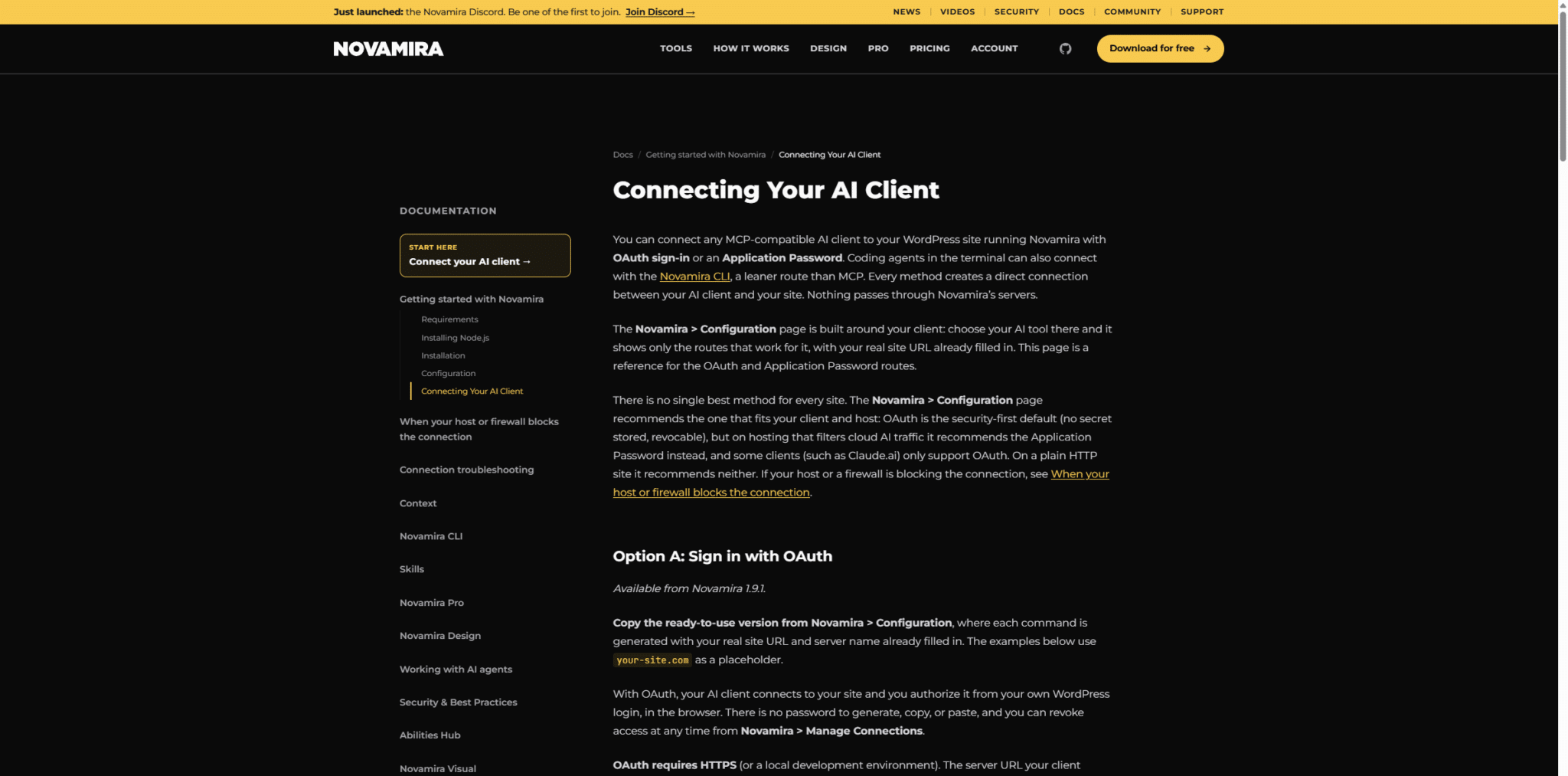
The page Novamira → Configuration It's designed with your customer in mind: you choose the tool, and it shows you only the routes that work, with your site's URL already filled in. There are two main paths:
Option A — OAuth (recommended since 1.9.1)
No password to copy. You authorize access from the WordPress login page in your browser, and you can revoke access at Novamira → Manage Connections. Typical endpoint:
https://tu-sitio.com/wp-json/mcp/novamira-oauthOption B — Application Password
Useful if your hosting provider filters traffic from AI cloud customers, or if you prefer manual configuration. The endpoint (without a suffix -oauth) reads as follows:
{"mcpServers":{"novamira-your-site":{"command":"npx","args":["-y","@automattic\/mcp-wordpress-remote@latest"],"env":{"WP_API_URL":"https:\/\/tu-sitio.com\/wp-json\/mcp\/novamira","WP_API_USERNAME":"your-username","WP_API_PASSWORD":"your-application-password"}}}}Credentials must be only in environment variables (WP_API_URL, WP_API_USERNAME, WP_API_PASSWORD). The remote package ignores CLI flags such as --url o --password.
After connecting, you should see three MCP adapter tools on the client: Discover Abilities, Get Ability Info y Execute Ability. Here's a simple test: Ask it, “List the plugins installed on this WordPress site.”.
A leaner alternative: the Novamira CLI (@novamira/cli) for terminal agents, without going through the MCP.
Novamira Pro: History and Specializations
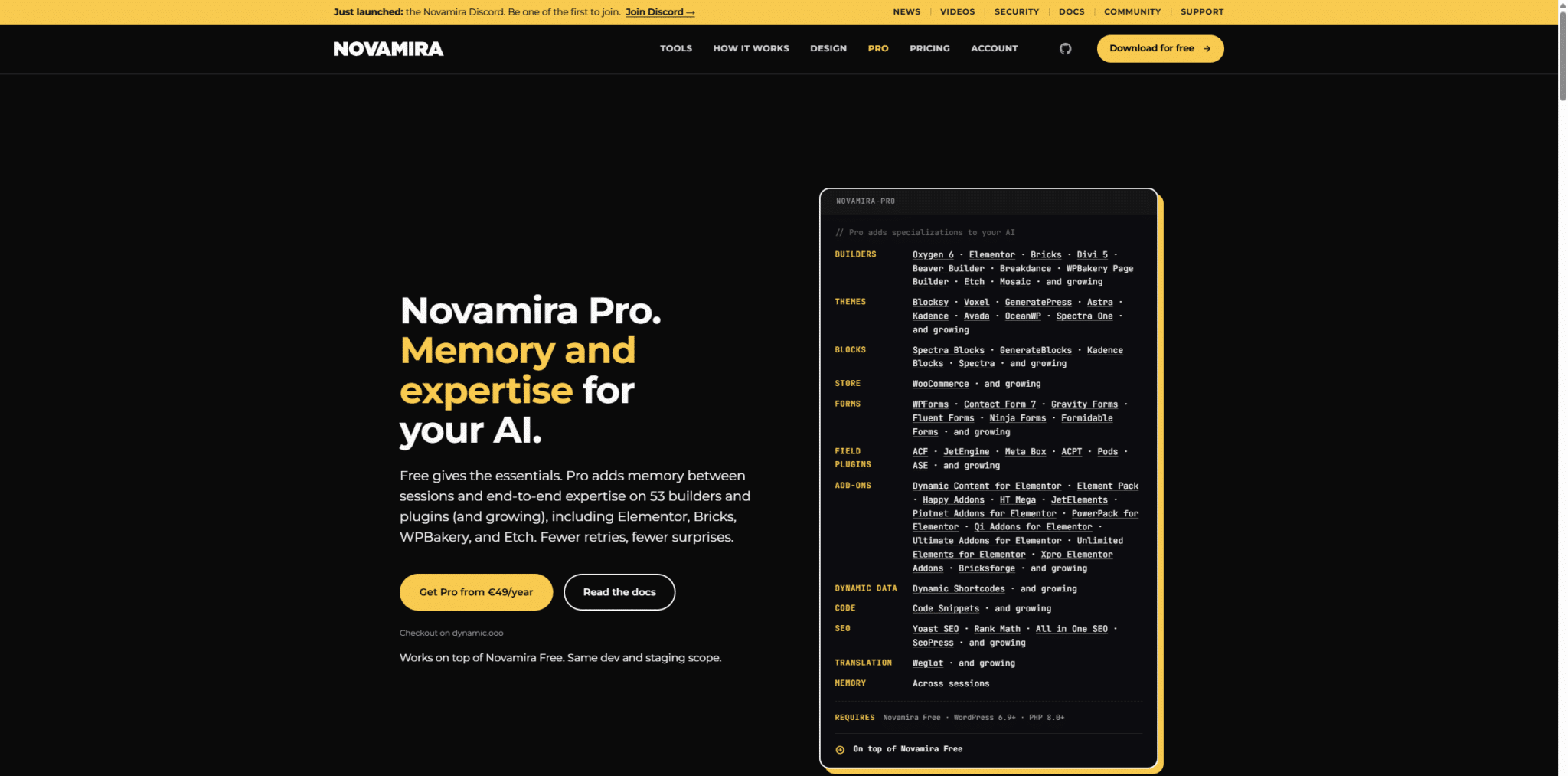
Pro is an add-on to Free. It uses the same MCP connection but offers more tools and more context. The product page (September 2026) highlights:
- Report Between Sessions: The agent can save project details (agreements, stack, decisions) in the site's WordPress database.
- Specializations end-to-end on 53 builders and plugins (and growing): Elementor Pro, Bricks, Divi 5, Oxygen 6, Beaver Builder, Breakdance, WPBakery, Etch, Mosaic, WooCommerce, ACF, JetEngine, Meta Box, Rank Math, Yoast, forms, themes such as Astra, Kadence, and GeneratePress, and many add-ons.
- Skills maintained by the team for complex flows.
- WordPress content capabilities (create/update/delete posts and pages) and native builder capabilities.
How do you install Novamira Pro?
- Install and activate Novamira Free.
- You can Buy the product on our website or with a If you have a subscription, you can download it without paying anything extra.
- Install it just like any other WordPress plugin.
- Activate the Pro plugin, and you're all set.
Memory: What Do We Keep and What Do We Forget?
According to the Memory documentation: Nothing is saved automatically. The agent decides what is worth remembering and calls upon memory abilities. It resides in the site's database (by installation, not by user). Any AI client connected to that site can view it: treat it as project knowledge, not as personal notes.
Recent Updates (September 2026)
The pace of releases is fast. Here are some recent milestones in the ecosystem:
- Novamira Free 1.12.x (changelog): Grok.com / Grok Bot support, OAuth and troubleshooting improvements, design tools via REST capabilities, and fixes for the sandbox and Block Editor Queue.
- Novamira Pro 1.10.0 (Sept. 14, 2026): Eleven new Elementor add-on specializations (Dynamic Content for Elementor, JetElements, PowerPack, Happy Addons, etc.).
- Recent CLI integrations with agents such as Hermes Agent y OpenClaw (Telegram, Discord, Slack, etc.).
Free vs. Pro (Practical Comparison)
| Novamira Free | Novamira Pro | |
|---|---|---|
| MCP / CLI Connection | Yes | Same connection |
| Execute PHP + filesystem + sandbox | Yes | Yes |
| Builders/Plugins Specializations | General Exploration | 53+ native specializations |
| Report Between Sessions | No | Yes (per site) |
| Team-based skills | Basic / Own | Skills Pro maintained |
| CRUD for posts/pages and builders | Limited / via PHP | Dedicated Abilities |
| Price | Free | Starting at ~€49/year (Personal) |
Use cases where it shines
- Troubleshoot a 500 error at checkout with direct access to logs, plugins, and settings.
- Rebuild a Hero section in Bricks, Elementor, Divi, or Etch using Pro add-ons.
- Create a landing page designed by an AI agent and rebuild the entire site using Elementor Pro
- Duplicate that landing page and update all the copy to reflect a new service or product.
- Duplicate products in WooCommerce and add all their attributes, prices, discounts, etc.
- Create ACF / JetEngine / Meta Box field groups with native capabilities.
- Optimize on-page SEO with Rank Math, Yoast, AIOSEO, or SEOPress directly from the dashboard.
- List the project's skills (“how we name slugs,” “color palette and fonts”) and reuse them.
- Operate the site using multi-channel agents (Hermes, OpenClaw) via the Novamira CLI.
First 15 Minutes Checklist
- Recent backup.
- Install Free → enable AI Abilities.
- Install and activate the Novamira Pro (essential for professional use)
- Log in (OAuth or Application Password).
- It requests a read-only operation (list plugins).
- If you use Elementor/Bricks/ACF every day, you'll need the Pro version.
- Save your naming and design conventions in Memory (Pro).
- Check the sandbox after the first live session.
Frequently Asked Questions
Do I need the Free version to use the Pro version?
Yes. Pro is installed on top of Free and adds tools to the same connection.
Does my code pass through Novamira's servers?
No. The connection is direct between your AI client and your WordPress site. Novamira is the plugin on your server.
Who makes Novamira?
Dynamic.ooo / Ovation S.r.l., the same team behind Dynamic Content for Elementor, Dynamic Toolbox for Bricks, Dynamic Shortcodes, and Dynamic Visibility.
What types of clients does it work with?
Any compatible MCP client. The Configuration page documents Claude Code/Desktop/ai, ChatGPT, Codex, Cursor, VS Code + Copilot, Windsurf, Cline, Antigravity, Zed, OpenCode, Grok, Hermes, OpenClaw, and more.
Conclusion
Novamira Free It's the component that turns your AI agent into a collaborator with actual access to WordPress (PHP, files, database, sandbox). Novamira Pro Reduces friction when your stack is complex: project history, skills, and specializations for builders and plugins you already use every day.
Try it out, and you'll notice the difference compared to endless copy-and-pasting. For details that change with each release.
Si quieres conocer otros artículos parecidos a Novamira Pro: guía completa para conectar IA a WordPress (2026) puedes visitar la categoría Plugins Wordpress.
 Español Español
  English
  Português do Brasil
Leave a Reply