
Thrive Architect Review | Is It the Best WordPress Page Builder? [2025]
Find out all about Thrive Architect, one of the most outstanding page builders available for WordPress, a must-have!
In this review of Thrive Architect, we'll tell you about this new addition to the ranks of the top page builders. We're talking about a page builder that can hold its own against Divi y Elementor which originated from the Thrive Content Builder plugin.
Therefore, this immensely popular plugin has been replaced by the page builder.
Next, learn much more about this incredible page builder.

You can install Thrive Architect on any topic and use the page builder to create your website.
Thrive Architect can also be used on its own; there are quite a few demo pages (more than 325) to help you get started quickly, or you can start building your site "from scratch.".
In the animation above, you can see just how well-organized and user-friendly Thrive Architect is. The page builder offers many elements and settings that you'll need to get used to before you can work with them at full speed.
Thrive Table Templates
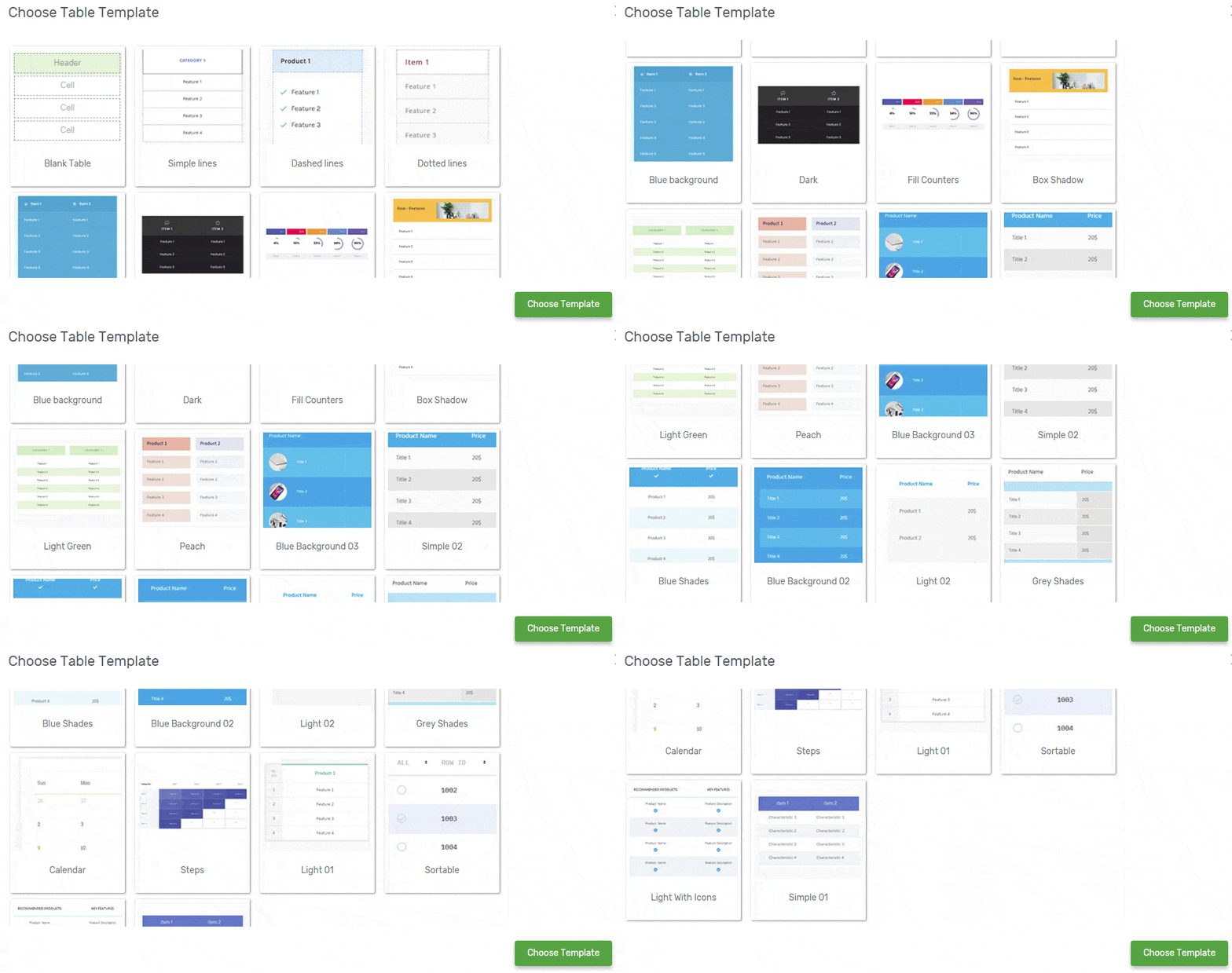
The Thrive Architect page builder has some really nice tables—there are more than 10 different styles to choose from. It's definitely a great feature you can take advantage of.
Test Thrive's responsiveness
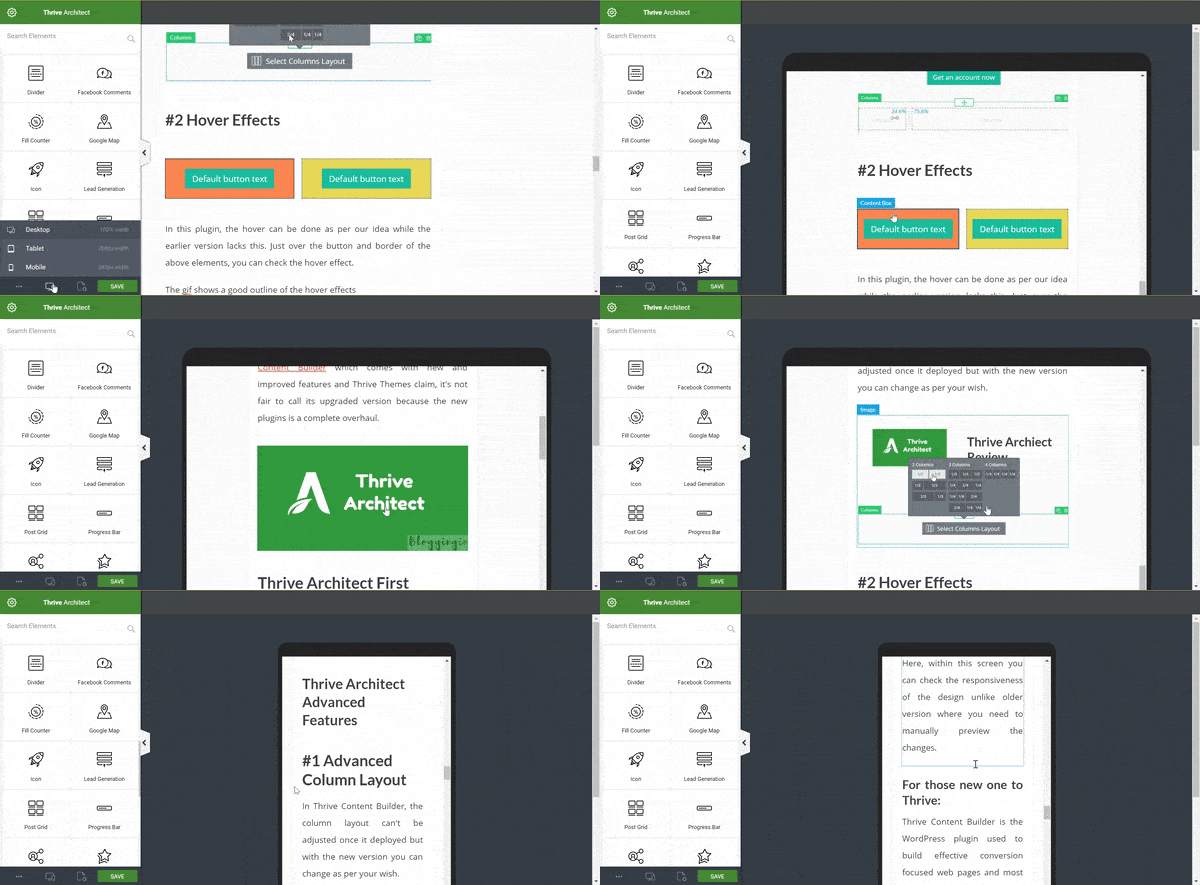
Thrive shows you how the site will look on mobile and tablet devices. You can make individual adjustments for different devices, or you can set the widget to "off" on specific devices.
Thrive Contact Forms
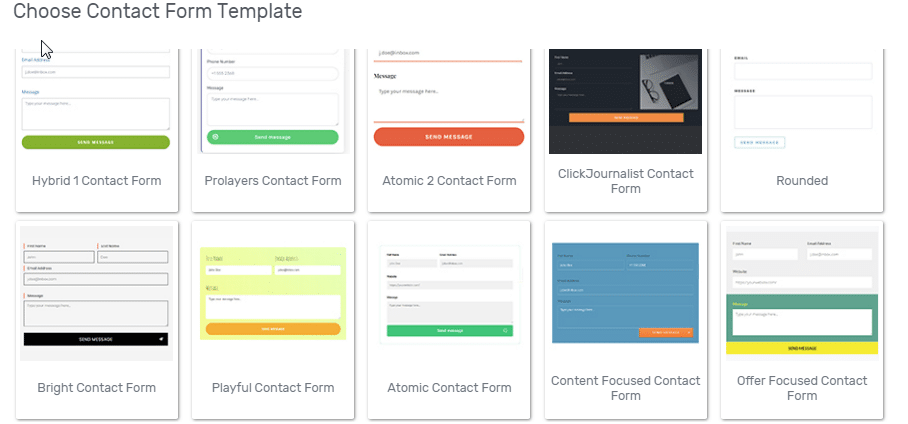
Just like the tables above, contact forms are already included as standard in Thrive Architect.
In just a few minutes, you'll have customized this template to fit your data and preferences. It's important to disable other contact form plugins or remove them from your website.
The Thrive Architect User Interface
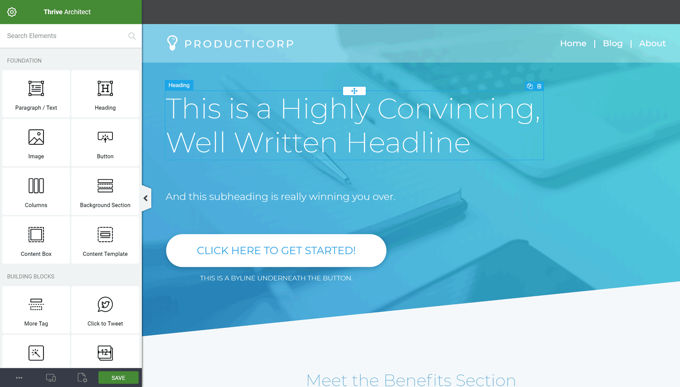
Although in this review of Thrive Architect we found that there are very few ready-made demo pages in the product, we have to say that the page builder itself is a real pleasure to work with.
The user interface works very well, and you can use it with great precision. This page builder lets you lay out pages on paper in minutes if you have some experience.
From now on, writing text takes more effort than creating the website itself. The editor is full-width, meaning it uses the entire width of your screen. The various toolbars can be used as a dock, and the browser can even float on your screen.
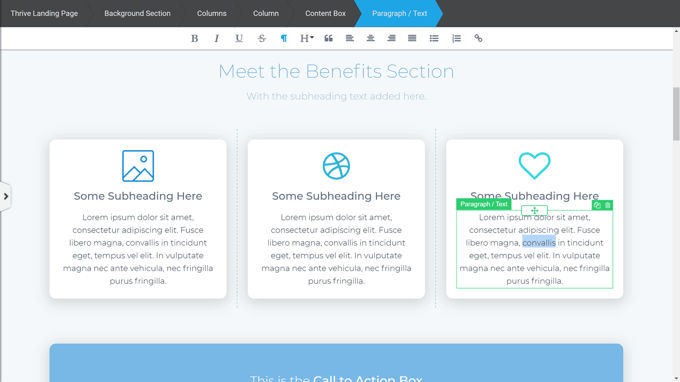
You can select elements such as the dock or sidebar items and place them on your worksheet simply by dragging and dropping.
The number of elements and the things you can do with them is pretty overwhelming, but hey, nothing can be missing—otherwise, we'd be complaining about it.
You can resize, drag, or move the elements on your worksheet until you're satisfied. You can start typing anywhere on your worksheet; the text editor is inline and doesn't use separate typing screens.
The Best Online Text Editor
Thrive Architect has the best text editor of all the top-tier page builders available for WordPress.
If you want to work at a relaxed pace and make money with your website, Thrive is a great option. Of course, Divi and Elementor also offer excellent text editors—that goes without saying.
Revision Manager
Thrive Architect's revision manager has a unique feature that allows you to undo and redo using the keys on your PC's keyboard.
The revision manager works the same way as the ones in Divi and Elementor. You can use it to go back to previous points in time when you saved your work. You won't have to redo anything; all your work will be saved.
Thrive Architect Options and Settings
In the image above, you can see a menu of options at the top. With similar options grouped together, it's much easier to find the specific option you need.
Advanced Options in the Side Menu
In the side menu, you can select "Advanced" at the bottom to display additional options. Most elements have hidden advanced options. It varies depending on the element, but you can, for example, set margin and padding properties, adjustments for different devices, and animation effects.
Text Animations by Thrive
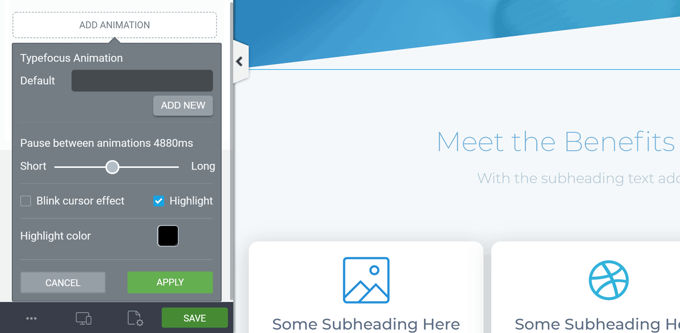
There's nothing easier than adding text animations with Thrive Architect. Thrive makes it so simple that everyone will start playing around with its animations.
Thrive Architect Page Elements
Thrive Architect offers an unprecedented number of elements you can use; installing third-party plug-ins has become completely unnecessary with Thrive Architect, since everything has been taken care of.
All of these elements can be customized to your liking. Thrive emphasizes conversion in everything it does, which is reflected in these elements.
Basically, they want you to make money with your site—a great goal. So far, very few page builders have managed to do this, but Thrive is really good.
Demo Pages
There are more than 325 one-click demo pages in the Thrive Architect library. Like the elements, these are focused on calls to action and conversion. Here are a few examples.
Thrive Architect also offers regular landing pages and standard company pages in addition to all the conversion-focused features, but they would do well to expand this significantly—which I'm sure they will. I look forward to many new demos with each update, which is what all the major themes do.
Thrive Architect Pricing
Our review is coming to an end. With everything we've discussed, don't you think it's worth investing USD 3.99 in Thrive Architect to simplify your work and ensure you have an incredible website?
Get it right now for just USD 3.99 and achieve incredible results with minimal effort. Just install it and enjoy an original product at the lowest price.
➡️ Thrive Architect ⬅️
Conclusion of the Thrive Architect Review
This review of Thrive Architect shows that Thrive can compete with the best in the field of themes and page builders—and even take the lead in some areas.
It's a pleasure to work with Thrive Architect, especially the inline text editor.
Finally, remember that when you buy from Pillbanana you receive unmodified, clean and virus-free 100% files with all their updates absolutely free for one year.
You can also subscribe to our club on a monthly or annual basis, and you can save more than $10,000 on premium plugins and themes. We currently offer more than 7,800 products, and with your subscription, you'll have unrestricted access to all of them.
If you have any questions or suggestions, we look forward to your comments. See you next time!
Si quieres conocer otros artículos parecidos a Revisión de Thrive Architect | ¿El mejor constructor de páginas de WordPress? [2025] puedes visitar la categoría Plugins Wordpress.
 Español Español
  English
  Português do Brasil
Leave a Reply