
10 Tips for Increasing Sales by Optimizing the Checkout Process

Do you want to boost sales by optimizing the checkout process? Here are 10 helpful tips you can put into practice today!
Have you ever wondered why your online store has a high checkout abandonment rate? Most likely, it’s because the checkout process isn’t properly optimized. This can lead to a high number of abandoned carts.
Shopping cart abandonment and purchase abandonment are closely related. No matter how good your products are, you won't see much growth in your business if your online store's checkout page isn't optimized.
If you're a WooCommerce Then you've probably experienced what it's like to be stuck with a checkout page design that's years out of date. It's undoubtedly one of the best e-commerce platforms. However, WooCommerce's default checkout page design is very outdated in today's e-commerce industry.
Keeping this default WooCommerce checkout page design can have a significant impact on your online business. Furthermore, your customers might think you aren't putting much effort into your business. As a result, the quality of your products and services may also be called into question.
Always remember that your customers’ time is just as valuable as yours. So you should optimize the checkout process to save everyone time. In this article, we’ll share 10 tips for optimizing your checkout process that will help increase sales for your online store. But first, you should understand what checkout abandonment is and why it’s important to optimize it.
What is shopping cart abandonment?
When customers add items to their cart but abandon the checkout process on the checkout page, this is called failure to pay. The shopping cart abandonment rate represents a loss of revenue for your business. All your marketing, operational, and development costs are wasted when customers leave the page without completing the payment. You should always focus on reducing the checkout abandonment rate.
Why is payment optimization important?
Optimizing the checkout process can significantly reduce shopping cart abandonment if done correctly. Your store’s sales depend largely on this. A payment page that’s not optimized and poorly designed often confuses visitors. Furthermore, it can erode trust among visitors to your online business. Your online store may come across as a scam and unprofessional at this point.
You should focus on reducing your checkout abandonment rate to get better results from your efforts. Create a great customer experience and improve your conversion rate optimizing the payment process.
Make your checkout page visually appealing to reduce cart and checkout abandonment rates. Identify at which point in the sales funnel your potential customers are dropping off. Understanding the reasons can help you further optimize the checkout process and increase your sales. You can implement some simple and effective strategies in the checkout process. Let’s move on to some simple and effective tips for optimizing the checkout process.
10 Tips for Optimizing the Checkout Process and Increasing Sales
Take advantage of the following 10 tips to increase your online store's revenue by optimizing the checkout process.
- Make everything responsive.
- Get rid of unnecessary items.
- Reduce the number of fields in the payment form.
- It offers multiple payment and shipping options.
- Add a delivery date field.
- Displays symbols of trust and security.
- Recommend relevant products.
- Add social login options.
- Offers payment to guests.
- Write a thank-you note.
1. Make everything responsive

Make sure everything is responsive, especially for mobile devices. Responsive websites are always visually appealing to customers and visitors. Visitors browse your store on a variety of devices, such as laptops, desktop computers, mobile devices, and tablets. Therefore, you should ensure that your online store—and especially the checkout page—is responsive across all devices to provide a better user experience.
You can use the Mobile Simulator – Responsive Testing Tool in browsers Chromium y Arista. This tool is extremely easy to use. It can help you identify performance issues on your website. Plus, you can check how your online store appears on various devices. That way, you can make the necessary design changes.
2. Get rid of unnecessary items
Unnecessary elements on the checkout page can distract customers. Any kind of distraction can lead to lost sales. That’s why you should remove any unnecessary elements from the checkout page. Get rid of banners, ads, or any default design elements that come with the theme.
The checkout process in your e-commerce store should be as simple as possible. Complicating the process will frustrate customers and, in the long run, lead to abandoned carts. You need to optimize the checkout process to reduce the time it takes to successfully complete a purchase.
3. Reduce the fields of the payment form
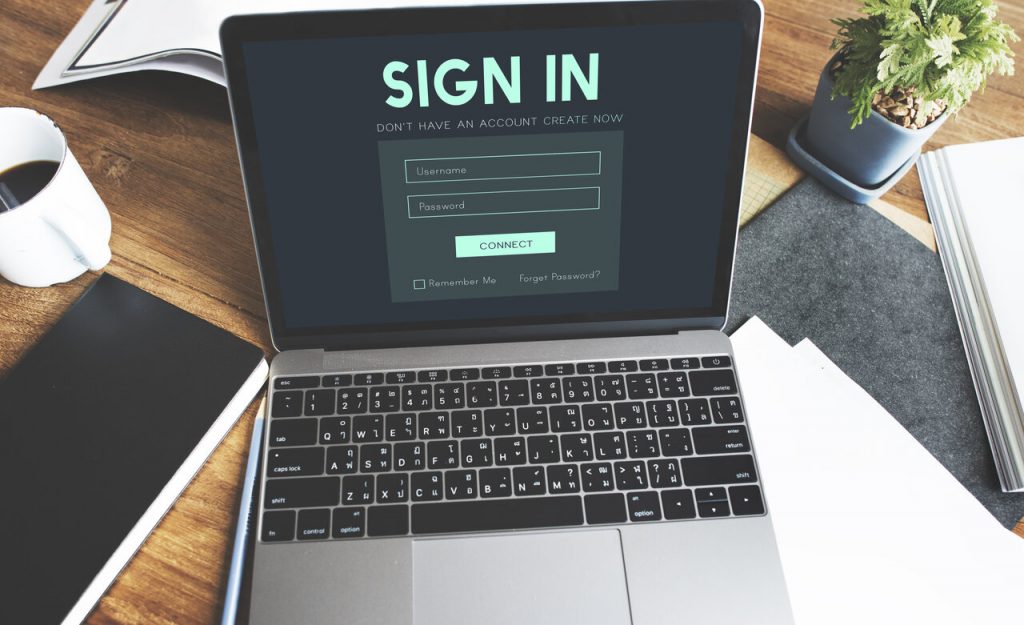
Reducing the number of fields in the payment form can also increase your sales. If you're using a pre-configured theme or WooCommerce's default payment system, you likely have unnecessary form fields. You should keep only the fields you actually need and remove the unnecessary ones. If you're using WooCommerce and Elementor For your online store, you can easily do this with Woolementor. This plugin can help you change and customize every aspect of your WooCommerce store.
You won't need to hire a developer to remove unnecessary fields and add new ones to the checkout page.
4. Offers multiple payment and shipping options
Offering multiple payment and shipping options on the checkout page is a smart move for all types of online stores. By providing a seamless variety of payment options, you can attract a wider audience. Different demographic groups of shoppers prefer to use different payment methods when shopping online. If you use WooCommerce, you’ll find plenty of plugins Free and premium options to integrate with almost any payment solution.
Offering more payment options will also reduce the cart abandonment rate. Your customers will be more likely to purchase products from your store when they find convenient payment options. It’s also a great way to build customer trust in your business.
Online stores that sell physical products should offer a variety of shipping options to streamline the delivery process. You can implement options such as free shipping, flat-rate shipping, and in-store pickup.
In addition, you can offer shipping through carriers such as UPS, FedEx, USPS, DHL Express, etc. This will make your customers feel more comfortable shopping at your online store.
5. Add a delivery date field
Adding a delivery date selector to the checkout page can help you manage orders more effectively. This will encourage customers to choose a convenient time to receive their items. Plus, the delivery driver won't have to reschedule the delivery repeatedly if you let customers choose the delivery date.
By adding a delivery date selector field, you can also estimate how many future orders you have scheduled for delivery. This will be a huge help in organizing your inventory and sorting your products. For WooCommerce-Elementor store owners, Woolementor You can easily add a delivery date field without writing a single line of code.
6. Displays trust and security badges
Displaying trust and security badges on the checkout page can make your online store seem more trustworthy. This can also increase your conversion rate. You can place the trust and security badges near the checkout button. This way, shoppers will feel more secure when providing their personal information during the checkout process.
The most popular trust badges include McAfee, Verisign, PayPal, the Better Business Bureau, Norton, TRUSTe, Comodo, GeoTrust, and others. Most shopping cart abandonment occurs when visitors don't trust a website. You can easily overcome this problem by displaying these popular trust badges.
You should also consider purchasing an SSL certificate. SSL certificates enable the Hypertext Transfer Protocol Secure (HTTPS) and show visitors that your site is safe to visit. This is also a factor in Google's ranking algorithm.
7. Recommend relevant products
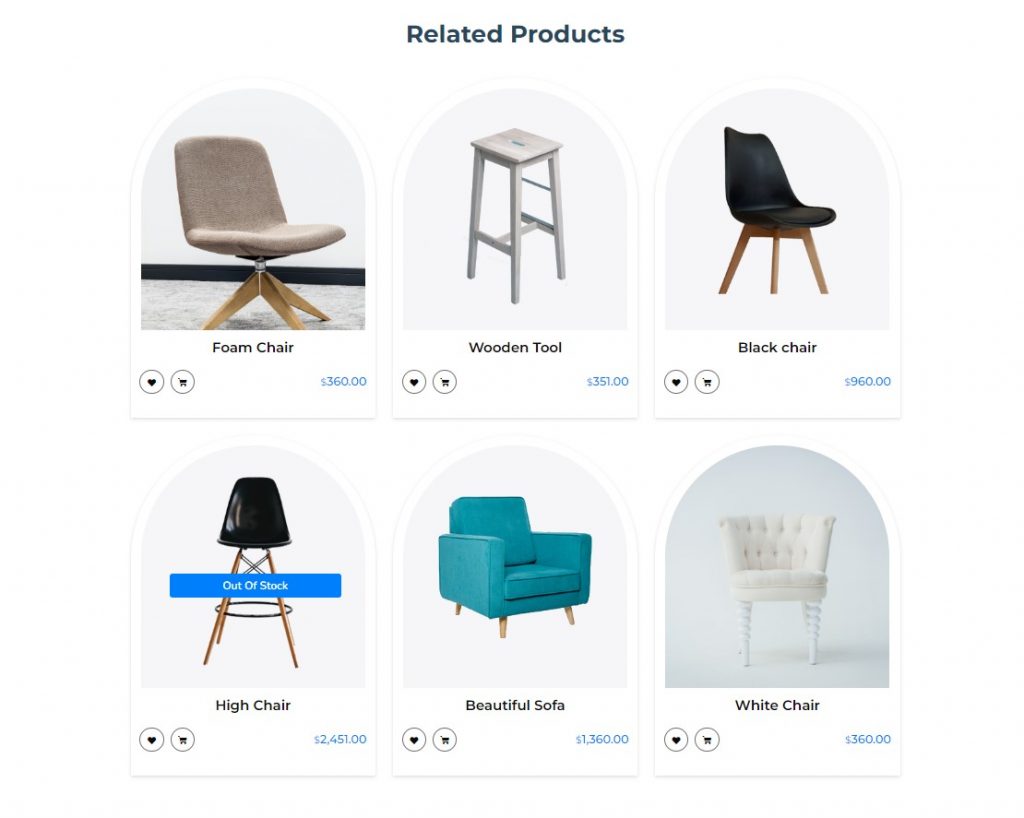
Recommending related products is another great strategy for increasing your sales. It can be implemented in all types of e-commerce stores. Displaying these types of personalized recommendations can increase the order value.
You can use methods to recommend products based on customers' purchase history, new offers, top-rated products, bestsellers, products that are frequently purchased together, and so on.
8. Add social login options
Adding social login options to the checkout page is a great way to streamline the checkout process. You can use Nextend Social Login and Registration for your WordPress website. This plugin allows users to log in to your website using their Facebook, Google, Twitter, LinkedIn, and other social media accounts.
You can also implement Google Autofill & Inline Validation for faster payment. These methods streamline the registration and form-filling process for visitors. They won't have to remember passwords or hesitate to fill out the form with personal information.
9. Offer payment to guests
If you continue to find that your conversion rate is too low despite having a high number of visitors, then you should try implementing guest checkout on your website. No matter how authentic and verified your website is, some visitors are still reluctant to provide a lot of personal information when shopping online. Visitors think it’s a hassle to create an account or log in just to buy small items.
Checkout as a guest allows visitors to make an online purchase without having to create an account. It lets users easily complete a transaction in your online store by simply entering their name, shipping address, and billing information.
10. Write a thank-you note
Display a thank-you message after every successful order to show your customers you appreciate them. Most online stores miss out on opportunities because they don’t have a thank-you page or because it’s barely visible. Showing your customers you appreciate them can help build a loyal customer base, which will ultimately bring you recurring sales and revenue.
You can promote offers and guide your prospects through educational content in the thank-you message. Your prospects will have the opportunity to educate themselves and get a glimpse of the product after they’ve been successfully converted.
In closing
With these 10 tips, you can optimize the checkout process to make the shopping experience easier for your customers. These tips will also help you reduce cart and checkout abandonment rates—and increase your revenue in the process.
Feel free to leave a comment if you have any suggestions or questions.
Si quieres conocer otros artículos parecidos a 10 consejos para aumentar las ventas optimizando el proceso de pago puedes visitar la categoría Ayuda y Soporte.
 Español Español
  English
  Português do Brasil
Leave a Reply