
WordPress Calendar Plugin: top 5.
If you manage events, bookings or online appointments, choosing a good WordPress calendar plugin can make the difference between a functional site and one that actually converts visitors into attendees or customers. Calendar plugins allow you to beautifully display events, receive bookings, sell tickets and much more, all directly from your WordPress site.
At Pillbanana we work every day with thousands of creators who need real solutions for their websites. That's why we put together this guide with the best calendar plugins for WordPress, available in our store and 100% compatible with our plans.
- Why install a calendar plugin in WordPress?
- Quick Table: Best WordPress Calendar Plugins (2025)
- The Events Calendar Pro
- Fluent Booking Pro
- 3. EventON
- 4. Modern Events Calendar
- 5. My Calendar (FREE)
- Do you want to use these plugins without paying extra?
- In short: the best WordPress calendar plugin is...
- Frequently Asked Questions (FAQ)
Why install a calendar plugin in WordPress?
A calendar plugin is not only for displaying dates: you can organize workshops, sell tickets, show availability of services, manage reservations or shifts and automate email confirmations.
The best plugins offer:
- Calendar views (month, week, day, list)
- Creation of recurring or one-time events
- Integrations with payments and reservations
- Synchronization with Google Calendar
- Visual customization
Whether you want a complete solution or are looking for a free WordPress booking calendar plugin, there are options for every need.
Quick Table: Best WordPress Calendar Plugins (2025)
| # | Plugin | Ideal for | Price |
|---|---|---|---|
| 🥇 | The Events Calendar Pro | Complete event management | See in Pillbanana |
| 🥈 | Fluent Booking Pro | Online reservations and appointments | See in Pillbanana |
| 🥉 | EventON | Elegant and visual calendars | See in Pillbanana |
| 4 | Modern Events Calendar | All-in-one: reservations, payments, events | See in Pillbanana |
| 5 | My Calendar | Advanced customization (FREE) | Free |
The Events Calendar Pro

The Events Calendar Pro is one of the most complete and widely used event plugins in the WordPress world. Ideal if you need to display attractive calendars, create recurring events, categories, integration with maps and even sell tickets with extensions like Event Tickets.
👉 Who is it intended for? Event sites, universities, churches, cultural centers, courses and conferences.
What you can do:
- Quickly create events from the dashboard
- Display calendar in different views (month, week, list)
- Add locations and organizers
- Integrate with WooCommerce to sell tickets
- Use shortcodes or blocks to insert it wherever you like
The best: has a free version to get you started, but the Pro version is the one that unlocks the full potential.
📅 See plugin: The Events Calendar Pro at Pillbanana
🚀 The Events Calendar shortcode: all and how to use it
Fluent Booking Pro
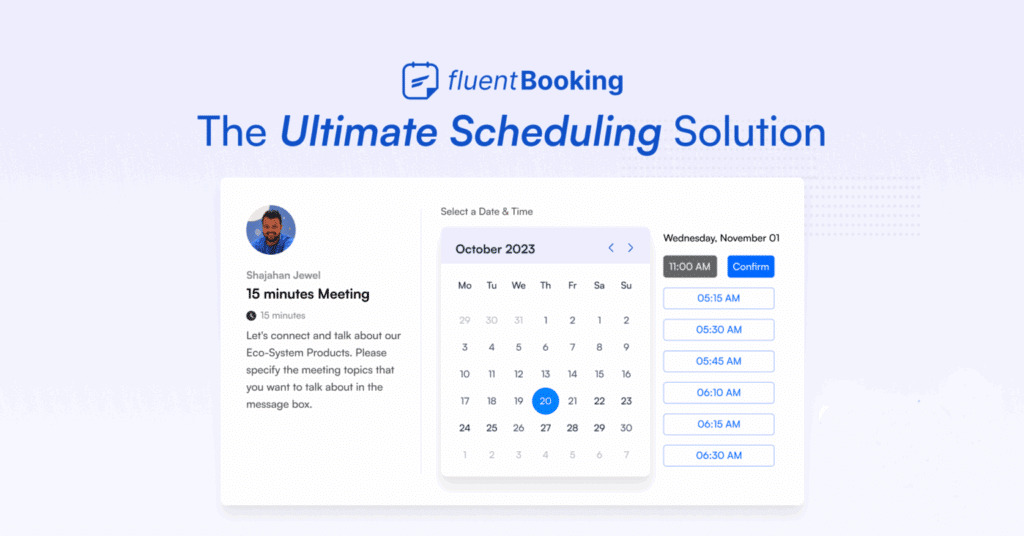
Fluent Booking Pro is an ideal plugin if you work with bookings, shifts or custom appointments. Perfect for freelancers, salons, trainers, private lessons, coaches or consultants.
What we like most is its modern interface and how easy it is to integrate it with contact forms (like WP Fluent Forms).
What can you do with Fluent Booking Pro?
- Show availability by day and time
- Accept and confirm reservations automatically
- Integrate customized forms
- Synchronize with external calendars
- Send automatic email reminders
👉 This plugin is especially useful if you offer personalized services where time management is key. For example, if you are a nutritionist, therapist, photographer, yoga instructor, freelance designer or provide any type of one-on-one consultation, Fluent Booking Pro allows you to display your availability, automate confirmations and easily sync your appointments with other calendars you already use (such as Google Calendar).
It is also ideal if you manage multiple types of services with different durations. You can define time slots, set blocked days, add time between appointments and control how many people can book per shift. All this without the need for technical knowledge.
If you want a calendar plugin focused on reservations, this is one of the most professional ones.
📅 See plugin: Fluent Booking Pro in Pillbanana
3. EventON
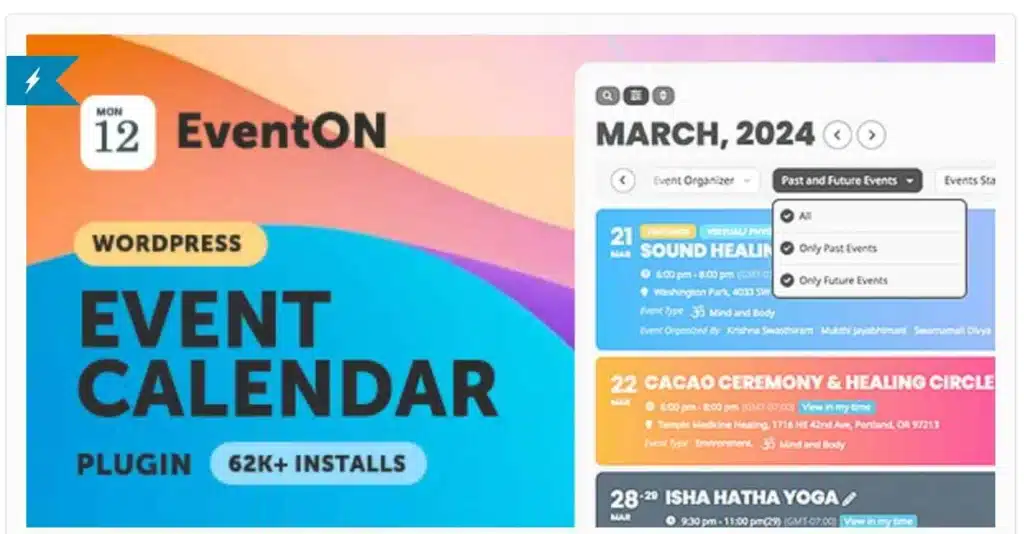
EventON is ideal if your priority is to make your calendar look visually stunning. This plugin stands out for its focus on design, offering an aesthetic experience without sacrificing functionality. Its modern, clean and colorful look makes any calendar look professional and attractive without the need for technical design knowledge.
👉 It is especially recommended for personal brands, artists, cultural event organizers, festivals, art galleries, stores with scheduled activities or promotions, photography studios, and any business that wants to present their events with visual impact.
Main characteristics:
- Minimalist and highly customizable calendars.
- Events with featured images, detailed schedules, mapped locations and customized labels.
- Support for live, virtual, hybrid or multi-date events.
- Dynamic views: grid, list, expanded agenda and more.
- Advanced filters so your visitors can easily search by event type, date or location.
- Integration with Google Maps and support for custom icons.
Extra: EventON can be extended with a variety of premium extensions, such as RSVP, ticketing system, attendee management, WooCommerce integration, support for user-submitted calendars, countdown events and much more.
📅 See plugin: EventON in Pillbanana
🚀 16 alternatives to Calendly for booking appointments
4. Modern Events Calendar
Modern Events Calendar combines professional design with advanced functionality so you can create a truly complete event system tailored to your needs. It is one of the most versatile and robust plugins on the market, ideal if you are looking to control all aspects of the user experience: from initial booking to payment and attendance.
Its modular approach allows you to activate only the functions you need, making it an efficient tool for sites that handle a large number of events or time-sensitive services.
👉 Who is it intended for? Academies, gyms, yoga centers, medical offices, therapists, paid event organizers, foundations, training companies and any business that needs to manage multiple events or sessions in a professional manner.
What you can do with Modern Events Calendar:
- Create fully integrated and automated online reservations.
- Choose from multiple calendar styles: classic, modern, agenda, grid, carousel and more.
- Display events in monthly, weekly, daily or list format, adapted to your web design.
- Configure free, paid, one-time or recurring events.
- Accept payments via WooCommerce, PayPal, Stripe or other gateways.
- Customize booking forms and create specific fields to collect key information.
- Automate confirmation emails, reminders or post-event messages.
- Embed calendars anywhere on the site using shortcodes or widgets.
📅 See plugin: Modern Events Calendar in Pillbanana
5. My Calendar (FREE)

If you are just starting out or need a free WordPress booking calendar plugin that is functional and flexible, My Calendar is one of the best options in the official repository. Despite being free, it offers a surprising level of customization and control for users looking to display events in a simple yet powerful way.
My Calendar adapts to both small sites and multisite installations, and allows seamless integration with your site design. You can use it for class agendas, community events, school activities or periodicals, without relying on paid tools.
What you can do with My Calendar:
- Display events by day, week, month, or as a list.
- Use shortcodes or widgets to insert it in any page, post or sidebar.
- Customize colors, layout and structure with your own CSS.
- Organize events by categories, tags, authors or locations.
- Add events from the frontend using optional extensions.
- Manage multiple calendars in the same multisite installation.
- Enable accessibility for the visually impaired.
Price: Free from the WordPress repository
🚀 WooCommerce Booking: everything you need to know to manage bookings
Do you want to use these plugins without paying extra?
At Pillbanana you have access to these and many other premium plugins by paying a fraction of the original value. We offer:
- 🌟 Monthly or annual subscription
- 📦 Direct download, without complicated installations
- 🔐 Legal and verified GPL 100% Plugins
- 🙋 Personalized attention via WhatsApp
With any of our active subscriptions, you can download plugins such as The Events Calendar Pro, Fluent Booking Pro, EventON, Modern Events Calendar and many more.
In short: the best WordPress calendar plugin is...
It all depends on your project:
- 🥇 For professional events: The Events Calendar Pro
- 🛌 For reservations and shifts: Fluent Booking Pro
- 🌟 For modern visual design: EventON
- For paid events and classes: Modern Events Calendar
- 📅 To get started for free: My Calendar
Frequently Asked Questions (FAQ)
Can I use these plugins if I have Elementor or Divi?
Yes, most of them are compatible. Some even have special blocks or widgets.
Can tickets be sold with these plugins?
Yes, The Events Calendar Pro, EventON and Modern Events Calendar allow you to sell tickets with WooCommerce or direct integrations.
Are the plugins original?
Yes, at Pillbanana we work with legal GPL 100% licenses. We do not modify the code or add malware. Everything is safe.
Can I cancel my subscription at any time?
Yes, you can cancel at any time from your account. There is no commitment of permanence.
Can I use more than one calendar plugin on my WordPress site?
You can, but it is not recommended. It can generate conflicts or slow down your site. It is best to use one that covers all your needs or extend it with extensions.
We hope this guide will help you choose the perfect WordPress calendar plugin for your site!
Si quieres conocer otros artículos parecidos a Plugin Calendario WordPress: los 5 mejores puedes visitar la categoría Plugins Wordpress.
 Español Español
  English
  Português do Brasil
Leave a Reply