
How to improve the 404 page of your WordPress site (complete guide).
Many people think that the 404 page is just another error message. However, if you have a WordPress site, optimizing your 404 page can make a big difference in user experience, dwell time and even your conversions.
In this complete guide we show you how to improve your 404 page in WordPress, either without writing a single line of code or using the full editor of your theme. We also give you ideas on how to turn that error page into an opportunity to keep the visitor on your site and direct them to relevant content.
- What is a 404 page and why does it matter?
- What a good 404 page should look like
- Method 1: create a customized 404 page without code (recommended)
- Method 2: edit your 404 page with the full site editor (themes with blocks)
- When to redirect a 404 page
- Leverage your 404 page to promote products or subscriptions
- Conclusion
- Frequently asked questions about 404 pages
What is a 404 page and why does it matter?
A 404 page is an error page that appears when a user tries to access an address (URL) that does not exist within your website. In other words, the server cannot find the requested resource.
This can occur for a variety of reasons:
🔹 User mistyped the URL.
🔹 The content was deleted or moved.
🔹 There is a broken link on another page (internal or external).
🔹 An incorrect URL was used in social networks or advertising campaigns.
Although this error is very common, what many people don't realize is that a poorly managed 404 page can seriously affect the user experience.
When a person arrives at a generic 404 page (like the one that comes by default in many WordPress themes), they are usually met with a simple message like “Page not found”. If there is no clear way to return to the site, explore useful content or contact the administrator, they will most likely leave the site immediately.
This causes several problems:
📉 Increased bounce rate.
⏳ Reduction of time spent on site.
❌ Lower number of page views.
🔍 Negative impact on SEO positioning.
Google, and other search engines, value user experience. If your site has a lot of 404 error exits, it can be interpreted as a sign of poor navigation or broken content, which affects your visibility in search results.
On the other hand, a well-designed 404 page can become a strategic opportunity: you can guide the visitor to your best articles, best-selling products, special offers or even invite them to subscribe to your site.
🚀 How to get your WordPress content cited by AI tools
What a good 404 page should look like
A good 404 page not only warns about the error. Also:
- Provides useful content or relevant links
- Reflects your brand or visual style
- Guide the user back to the site
- You can include forms, featured products or popular items
At Pillbanana, for example, we always recommend creating a 404 page that reflects your brand identity and is functional for your objectives.
Method 1: create a customized 404 page without code (recommended)
If you are looking for a fast, professional and technically uncomplicated way to improve your 404 page in WordPress, this method is for you. It involves using the plugin SeedProd, one of the most popular and complete landing page builders in the WordPress ecosystem.
Why SeedProd?
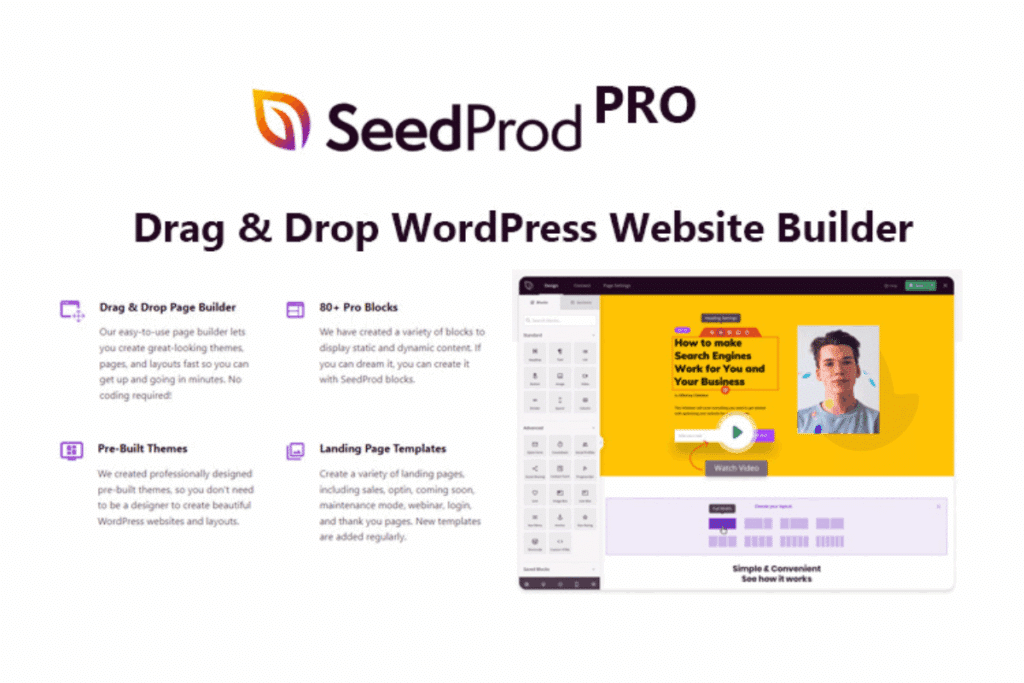
SeedProd allows you to create visually appealing pages with a drag & drop editor. You don't need to know code or edit your theme files. In addition, it includes more than 300 pre-designed templates, several of them specially designed for 404 error pages.
You can easily customize each content block, integrate it with your forms, menus and even display products if you use WooCommerce.
👉 At Pillbanana we offer access to the SeedProd Premium plugin within our active subscriptions, with updates and license included.
Basic steps to create your customized 404 page with SeedProd
- Install SeedProd from the plugin repository or from your WordPress desktop.
- Go to
SeedProd » Landing Pagesand click on “Set up a 404 Page”. - Choose a professional template. For example, the "Oh No 404 Page" template is very effective and customizable.
- Enter the visual editor and start customizing the design.
🚀 SeedProd plugin: the WordPress landing page builder you need
What you can customize on your 404 page with SeedProd
With the visual builder you can adjust every part of your error page:
✅ Your logo or brand identity
✅ Navigation menu for easy user navigation.
✅ Customized messages explaining the error in a clear and friendly way.
✅ Call-to-action (CTA) button that redirects to recent items, featured products or promotions.
You can also add more advanced elements such as:
🔹 Popular articles, using the shortcode of. MonsterInsights, to keep the visitor on your site.
🔹 WooCommerce featured products, such as best sellers or top rated.
🔹 Contact form, using. WPForms, so that the visitor can inform you about the error or make an inquiry.
Everything is configured from the visual interface. You just need to drag the blocks from the left sidebar and drop them into the design.
🧠 Tip: You can take advantage of this page to display a special discount or an exclusive subscription to turn a mistake into a sales opportunity.
Benefits of using SeedProd for your 404 page
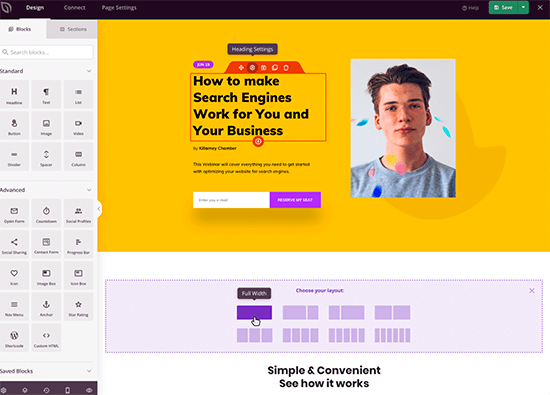
- No technical knowledge required
- Compatible with all major WordPress plugins
- Responsive design
- Rapid implementation
- Ideal for content sites, online stores or membership sites
📌 If you don't have SeedProd yet or you want to access the Premium version with updates included, you can get it at. Pillbanana within our subscriptions or as an individual product.
Method 2: edit your 404 page with the full site editor (themes with blocks)

If you use a Full Site Editing (FSE) compatible theme, you can edit the 404 error template directly from the WordPress dashboard, without installing additional plugins.
This method takes advantage of the new capabilities of block-based themes, introduced as of WordPress 5.9, and is ideal for those who want a more lightweight solution, without relying on external visual builders.
How to know if your theme is compatible with the full site editor?
You can check it by going to Appearance » Editor. If you see the full site block editor, your theme is compatible. Some popular examples are:
- Twenty Twenty-Two
- Twenty Twenty-Three
- Blockbase
- Neve FSE
- Kadence Blocks Theme (FSE mode)
Steps to customize the 404 page with the full site editor
- Enter to
Appearance » Editorfrom the WordPress dashboard. - In the left sidebar, click on “Templates”.
- Find and select the template named “404”.
- WordPress will show you the current version of your 404 page. Click the pencil icon ✏️ to start editing it.
- Use the button “+” to insert new blocks, such as:
- Latest blog entries
- Customized text explaining the error
- Call-to-action button, to your store, a contact page or your most popular items
- List of categories or tags for easy navigation
- Contact form if you use a compatible block or plugin (such as WPForms)
Advantages of using the complete site editor for your 404
🔧 No additional plugins are required.
🧩 Fully integrated with the WordPress block system.
💡 Ideal for sites that use a modern theme and want performance
🔄 Allows you to edit other global templates such as header, footer, blog pages, etc.
🎯 Tip: If you sell products or have featured content, use the 404 template to direct the user to those items with attractive buttons or visual blocks.
Limits of this method
Although the full site editor is powerful, it also has some limitations:
- Not all themes support it
- The design options are more basic compared to plugins such as SeedProd
- Some features, such as displaying WooCommerce products or inserting advanced shortcodes, may require additional plugins or blocks.
So, if you are looking for more visual freedom or specific integrations, we recommend using the Method 1 with SeedProd.
What useful blocks can you use on the 404 page?
Here are some practical examples that you can easily add:
Text block: to explain that the content was not found.
📰 Block of recent entries: to invite further browsing
🧭 Custom menu: with useful links or categories.
📦 WooCommerce blocks: as featured products, if you have a store.
🛎️ Contact form: for users to notify you of broken links
You can combine these blocks and group them with columns or sections, to achieve a clearer and more orderly design.
How to save and publish your new 404 page
Once you have finished customizing the template:
- Click the “Save” button (in the upper right corner).
- Confirm that you want to apply the changes to the 404 template.
- You're done! Your customized 404 page is now active.
Now you can test it by adding
/404at the end of your domain (e.g:tusitio.com/404) to see how it is displayed to visitors.
When to redirect a 404 page

It is not always necessary to redirect a 404. In fact, if it is well designed, it can keep the visitor on your site.
However, you may consider redirecting in these cases:
- The content has been removed and there is no logical replacement.
- You are getting a lot of hits to that URL
- You want to preserve the SEO value of old backlinks
To redirect in a simple way, we recommend using All in One SEO, which has a 404 error logging system and friendly redirects.
Leverage your 404 page to promote products or subscriptions
If you sell WordPress products like plugins or themes (like we do at Pillbanana!), the 404 page can be a great opportunity for you:
- Offer an exclusive discount
- Display a superpack of popular plugins
- Invite to subscribe to the site for more benefits
You can include buttons with calls to action such as:
🔹 “Discover our best-selling plugins.”
🔹 “Subscribe and get access to over 3000 products”.”
🔹 “Lost? Try our topic finder”
👉 Take a look at our active subscriptions or explores all products available.
Conclusion
The 404 page doesn't have to be the end of a visitor's journey. On the contrary: if you optimize it well, it can become an opportunity to retain traffic, increase sales or subscribers and improve the SEO of your WordPress site.
With tools like SeedProd, MonsterInsights or WPForms, you can design an error experience that works in your favor, without needing to know code.
At Pillbanana, We offer you access to these premium plugins and more, both individually and as part of our subscriptions. If you want to improve your site, we are here to help.
Frequently asked questions about 404 pages
What is a 404 page?
It is a page that appears when the server does not find the requested content. It is usually due to errors in the URL or deleted content.
Does it affect SEO to have many 404 pages?
Yes, it can affect if they are too many or not well managed. The ideal is to customize and monitor them with tools like MonsterInsights.
Can I customize the 404 page without knowing the code?
With plugins like SeedProd you can do it all with a visual editor.
Is it better to redirect or keep the 404 page?
It depends. If you have a useful 404 page, it is better to keep it. If there are broken links or deleted content, a redirect may be useful.
What plugins do I need to improve my 404?
SeedProd: to create the page
MonsterInsights: to display popular items
WPForms: to add forms
All in One SEO: to redirect errors
Si quieres conocer otros artículos parecidos a Cómo mejorar la página 404 de tu sitio WordPress (guía completa) puedes visitar la categoría Ayuda y Soporte.
 Español Español
  English
  Português do Brasil
Leave a Reply