
Kadence: In-Depth Analysis of the Theme
If you're looking for a WordPress theme, you'll have plenty of options to choose from. You can choose from thousands of free themes or opt for a premium theme to get specific features. But choosing the right theme from so many options can be a real challenge.
With that in mind, let's take a closer look at Kadence, a popular theme that has a lot to offer.
What is Kadence?

Kadence is a multi-purpose WordPress theme It's available for free download and also offers a pro version that unlocks more features. The theme store is also called Kadence, and the Kadence theme is its flagship product.
In addition to the Kadence theme, they currently offer four other themes and a large collection of plugins (about 15). The most notable plugin is Kadence Blocks, a page builder plugin that extends the capabilities of WordPress’s Gutenberg editor. Like the Kadence theme, Kadence Blocks is available in both a free and a pro version.
For this review, we'll break it down into two main sections so you can see exactly what's included for free and what you'll get if you upgrade to the Pro version.
What does the free version of Kadence include?
Although there are countless free themes, Kadence stands out as one of the best. Not only is it a light which helps your site load quickly, but also offers much more design and customization than most free themes. In fact, the customization options are what really make Kadence stand out.
Since Kadence is available in both free and pro versions, you might expect the free version to be very limited, but that's not the case at all. The free theme is quite capable and will meet the needs of many users.
Theme Settings
Once the free theme is installed, you'll find the theme settings under the "Kadence" link in the "Appearance" tab.
There are settings in six different sections available with the free theme:
- Global Colors
- Brand
- Typography
- Header Design
- Page Design
- Footer Design
If you click on any of those options, you'll be taken to the theme customizer, where you'll have full control over the settings.
Global Colors
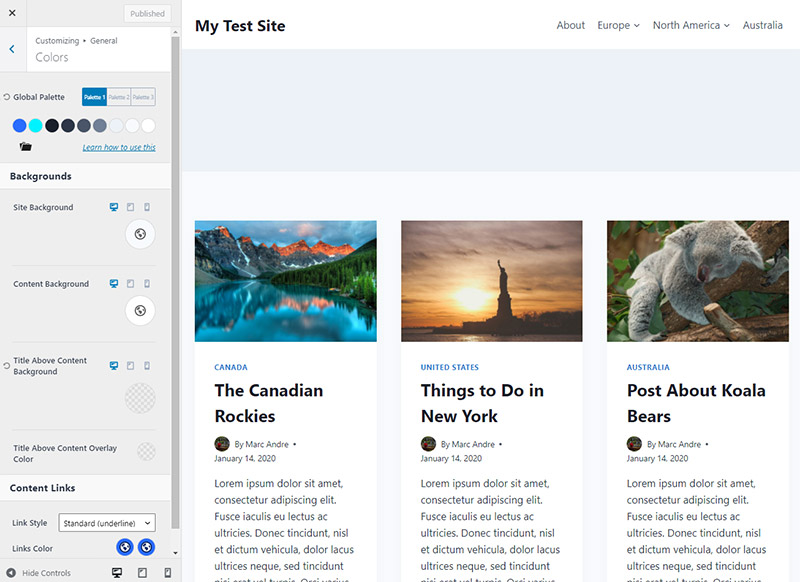
The color customization options offered by Kadence surpass those found in almost any other free theme. You can set the site's background color, the content's background color, the color of links, and you can even set a complete color scheme for your entire site.
With the color scheme settings, you can set two accent colors, several text colors, and background colors. You can choose from predefined color sets or customize any of the individual colors, giving you complete control.
You can't overstate the value of global color options. With just a couple of minutes of your time, you can set up all the colors on your website without needing custom CSS.
Brand
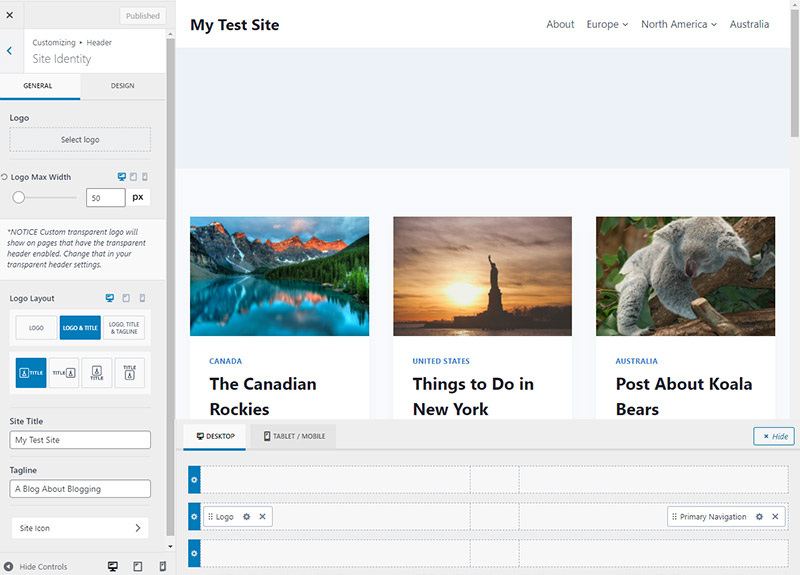
Here, you'll upload your logo and decide how it's positioned and whether it appears on its own or alongside your site's name and tagline.
Typography
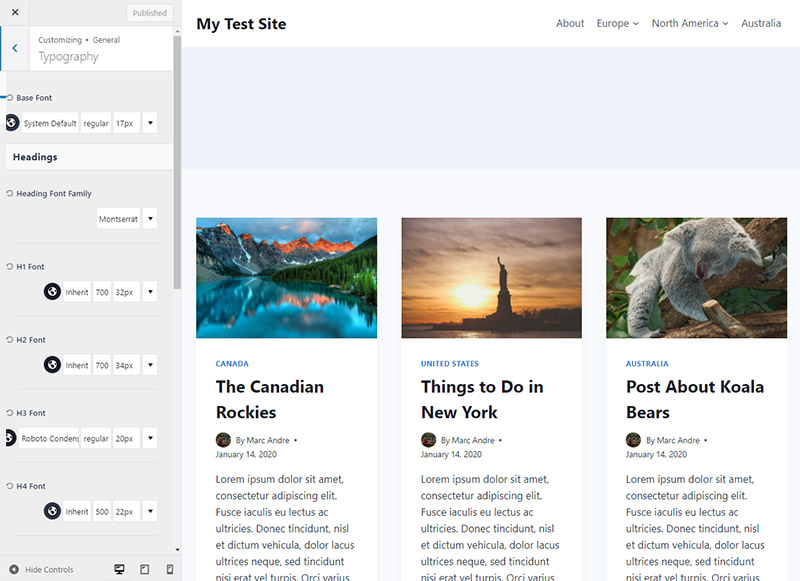
In the typography settings, you can choose the font (from Google Fonts) for the body text, as well as for each of the h1–h6 headings and the breadcrumbs. You can also set the font size and weight for each one.
Header Design
The header design settings panel is a standout feature of Kadence. Although you'll have more options with the Pro version, even the free theme lets you customize the layout and design of your header.
The settings are available in two tabs: General and Design. In the General tab, you can choose which elements you want to include in the header. To add an element, simply drag and drop it where you want it.
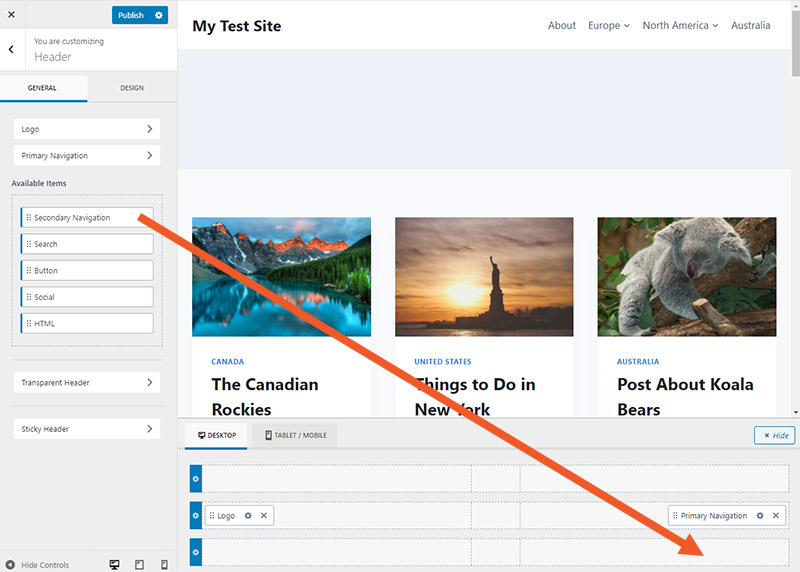
On the Design tab, you can control the header's background color (for desktop, tablet, and mobile) and the breakpoint for switching to the mobile header.
On the General tab, clicking an item will open additional options. For example, click "Main Navigation" to set options related to the menu's layout and design. You'll be surprised by how many different options are available for most of these items.
Page Design
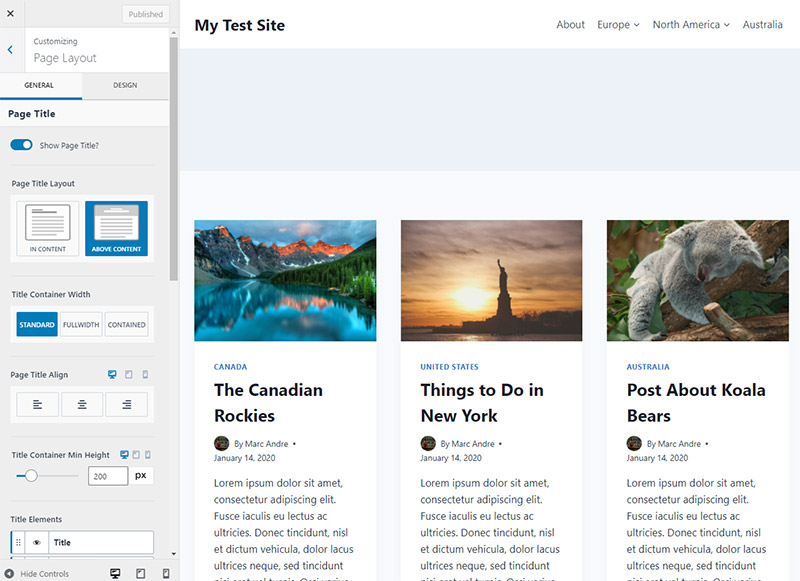
The page layout settings allow you to create a custom template that will be used as the default page layout. You'll have control over how the page title is displayed, the page width, whether you want a sidebar to appear, the sidebar's location, featured images, comments, and much more.
Like the header design, the page layout settings are displayed in two tabs: General and Layout.
Footer Design
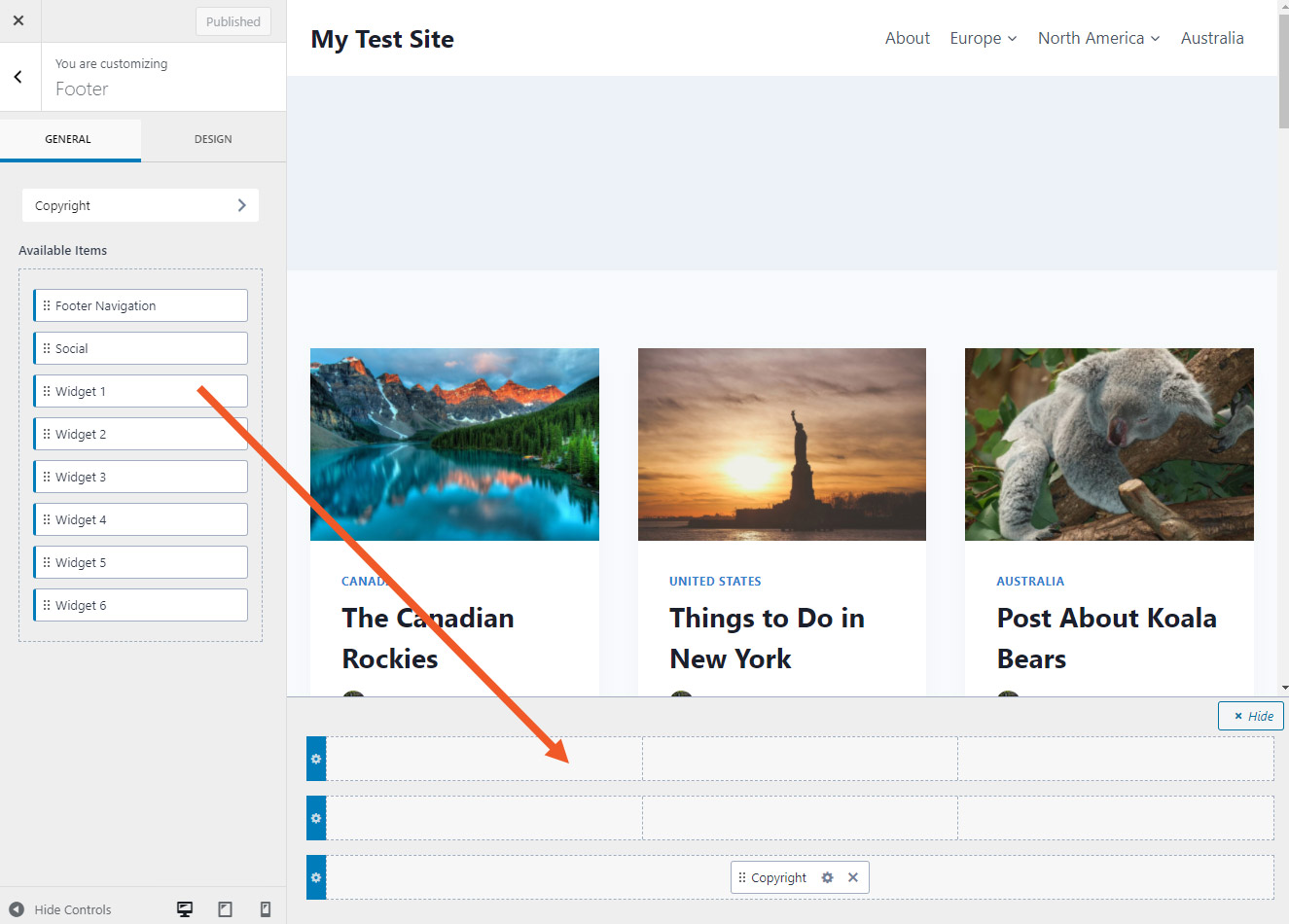
You'll also have control over the elements displayed in the footer and the design of those elements. Simply drag and drop the elements you want to include, and then use the Design tab to customize their appearance.
Additional Customization Options
Although the six sections above are accessible through Kadence's settings, you can also find additional options in the customizer (go to Appearance > Customize).
From here, you can customize the standard design of blog posts, as well as the page layout options described above. You can also customize the layout and design of the archive and search results pages.
Overall, the customization and design options of the free Kadence theme far exceed what you’d expect from a free theme. While it doesn’t match what you can do with Kadence Pro, it will be more than enough for some users. And at the very least, it gives you the option to try out Kadence and see if you like it before buying the pro version.
Startup Templates
When you install and activate Kadence, you'll be asked if you'd like to install a plugin with free starter templates as well. These templates make it faster and easier to set up your site quickly, and—along with the extensive customization options—they exceed what you'd expect from a free theme or plugin.
Once you've installed the Home Page Templates plugin, you can access the settings by going to Appearance > Kadence > Home Page Templates. The first thing you'll do is choose a builder. You can use the default Gutenberg editor or the popular plugin Elementor. We'll use Gutenberg for this demo.
🔺Everything you need to know about Elementor, the best visual builder for WordPress
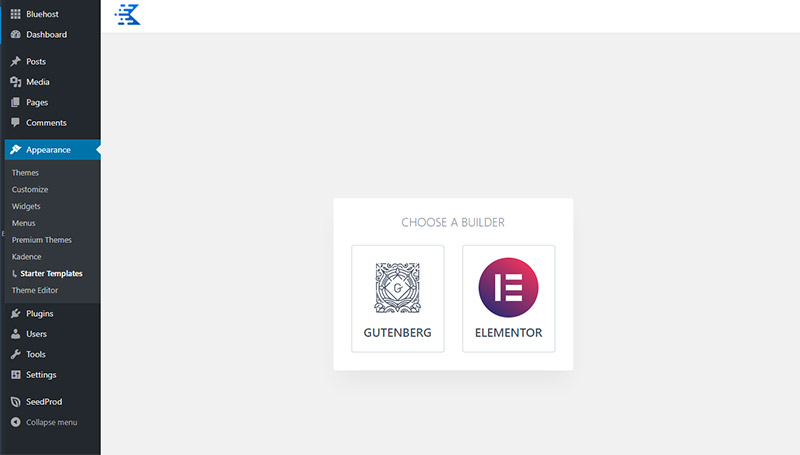
After selecting your builder, you'll see the templates you can choose from. Currently, there are nine different starter templates available, and these templates have been created for various types of businesses and websites.
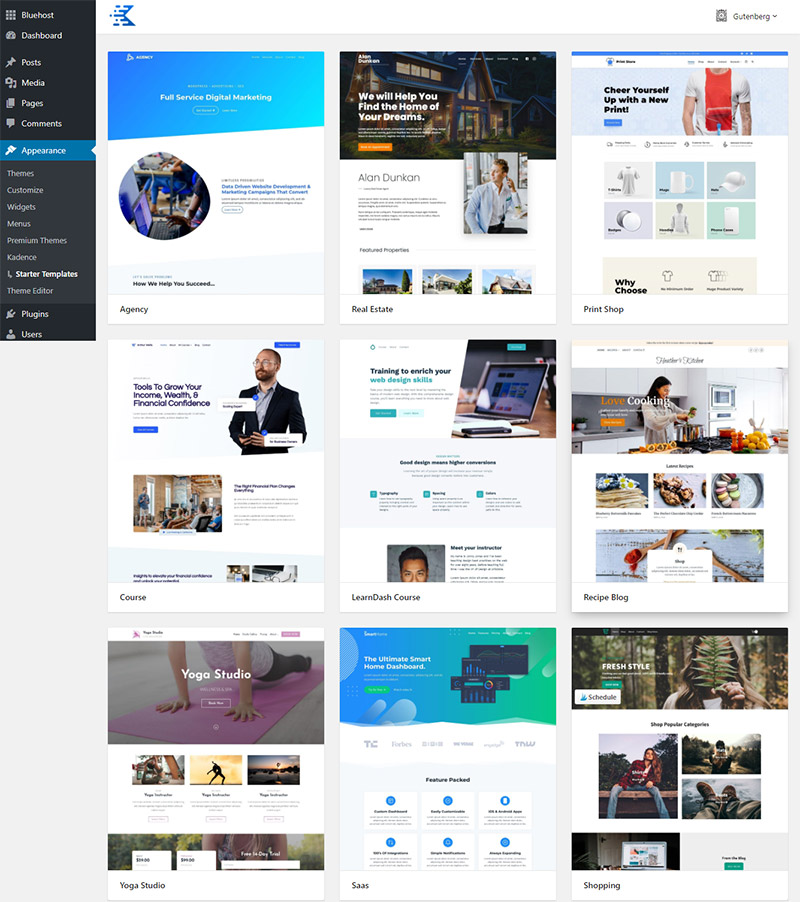
When you select a template, you'll be presented with a few different options, such as the color scheme and font family. You have the option to import a single page or the entire site.
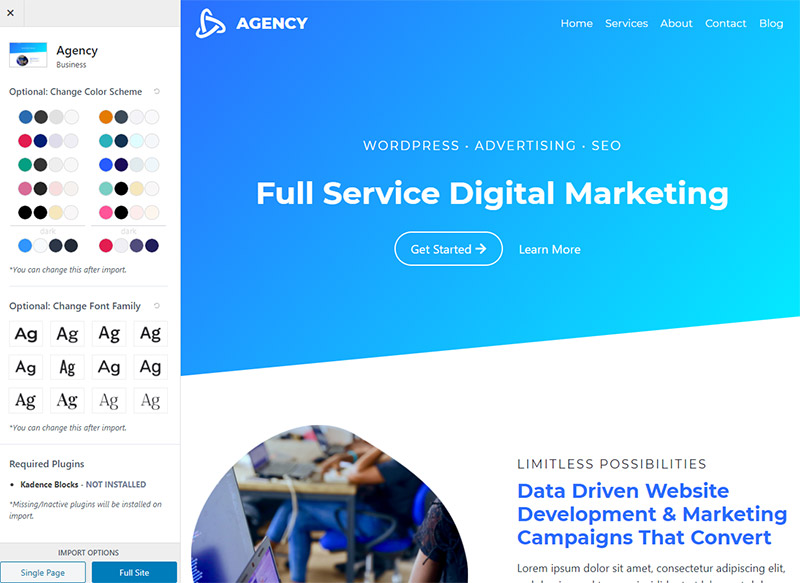
Once you start the import, it only takes a minute, and your site will be set up and ready to go. This includes all the necessary pages (if you chose the full site option), menus, customization settings, and even images. At this point, all you’ll need to do is review it and customize the text and images as needed. It can be a huge time-saver!
Kadence Blocks Plugin
Just like the Kadence theme, the Kadence Blocks plugin can be downloaded for free and upgraded to the Pro version (if you choose). Although the Pro version is impressive, the free plugin also has a lot to offer.
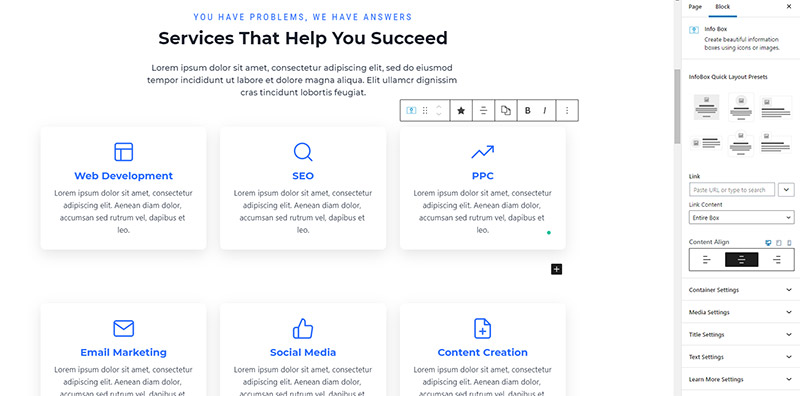
The free version gives you incredible control over the layout and design of your pages and posts. And best of all, it will feel very familiar if you've used the Gutenberg editor in the past. The learning curve is minimal compared to learning a new page builder from scratch.
The blocks you can use with the free version include:
- Row Design
- Eyelashes
- Table of Contents
- Advanced Button
- Advanced Header
- Advanced Gallery
- Icon
- List of Icons
- Information Table
- Accordion
- Testimonials
- Form
👉 Download Kadence Blocks Free
The Pro version includes everything in the free version, plus the following blocks:
- Image Overlay
- Post grid/carousel
- Product Carousel
- Split content
- Modal
- Pop-up Video
The Row Layout block is extremely powerful for controlling the layout of your pages. When you add a Row Layout block, you can choose the number of columns and control the layout details.
Kadence Blocks Pro also comes with a pre-built library that essentially provides you with pre-designed building blocks you can use to create your pages quickly.
What additional features does Kadence Pro offer?
The free Kadence theme and the Kadence Blocks plugin include so much that it makes you wonder: What additional features do you get if you buy the Pro version?
In summary, Kadence Pro It is based on the features available in the free theme. When you look at the Kadence settings, the Pro add-ons that were grayed out in the free theme are now available with Kadence Pro.
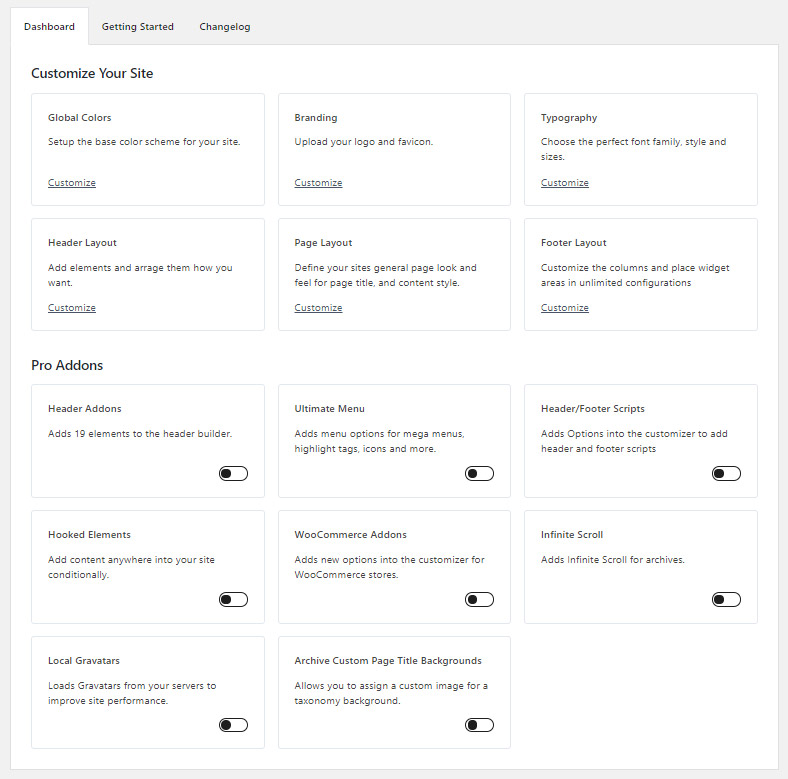
As an example of how Kadence Pro builds on the features of the free theme, let's take a look at the available header elements. To enable any of the Pro add-ons, simply toggle the switch as shown below.
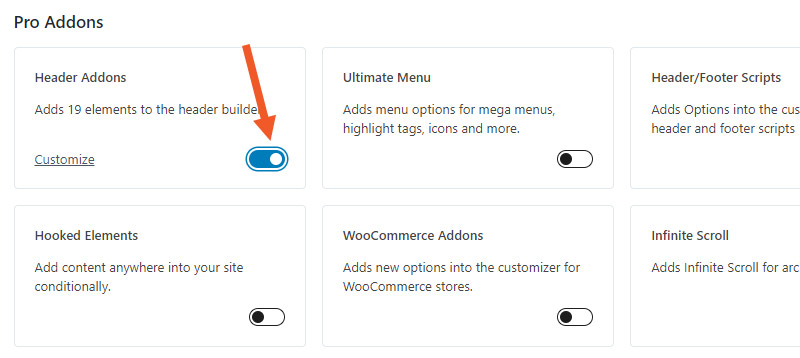
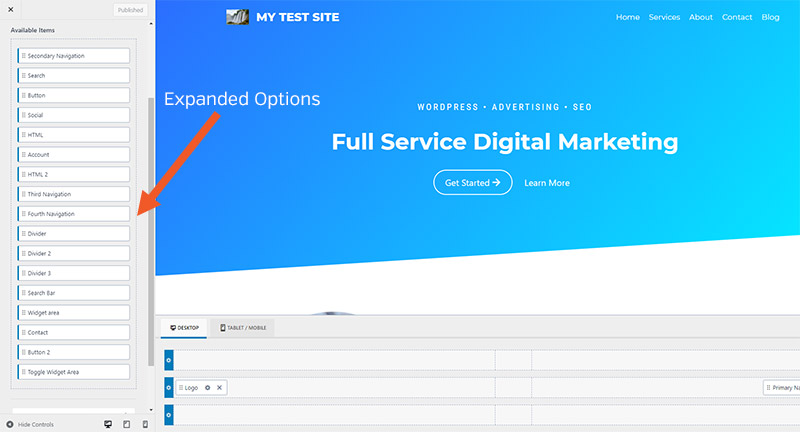
The free theme includes header layout settings, but the Pro version offers 19 additional elements you can use in your header, including:
- Separators
- Additional buttons
- Contact Information
- Lever with sliding panel
You'll also get additional menu options to create a beautiful mega menu, multi-column dropdowns, dropdowns with custom backgrounds, or include icons in your menu.
If you're building an e-commerce website, you'll love this feature WooCommerce Plugin which offers additional options within the WooCommerce Store Customizer.
The Pro update also includes hookable elements that can be added anywhere on your site on a conditional basis. You can display these elements to specific users, display them based on the type of page or post, and control many other aspects.
🔺Brizy Review: Pros & Cons + Performance Tests
Websites that use Kadence
Now let's take a look at some real-world websites that use Kadence. This should give you an idea of the versatility Kadence offers.

FluentCRM Technology Stack:
- Topic Kadence
- WP Manage Ninja (paid)
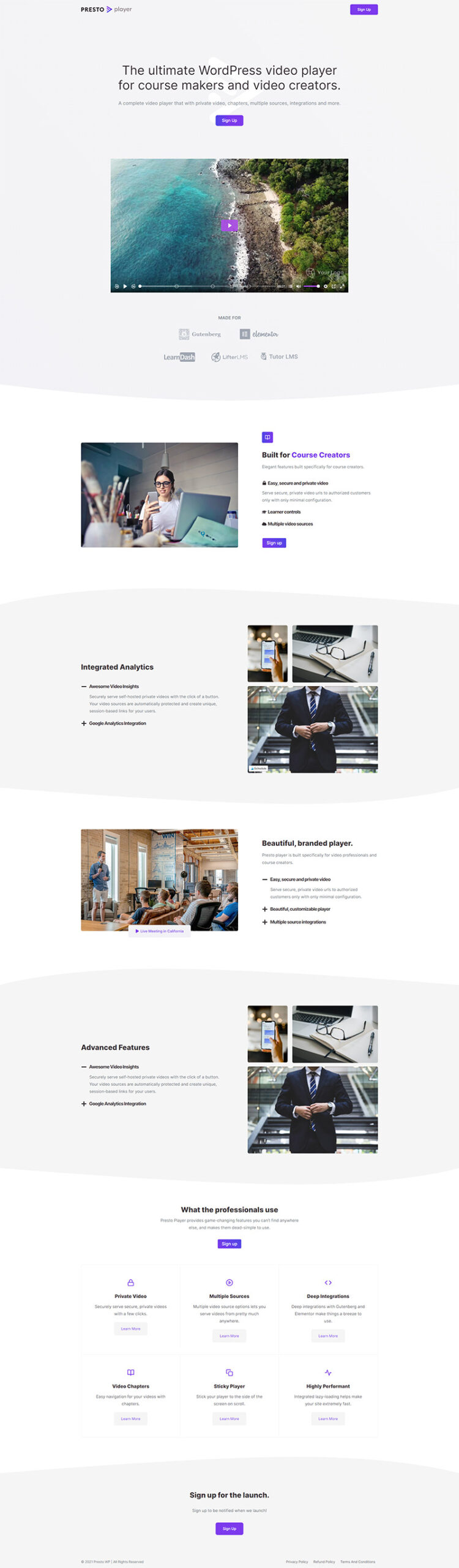
Presto Player Technical Stack:
- Topic Kadence
- Cloudflare (CDN)
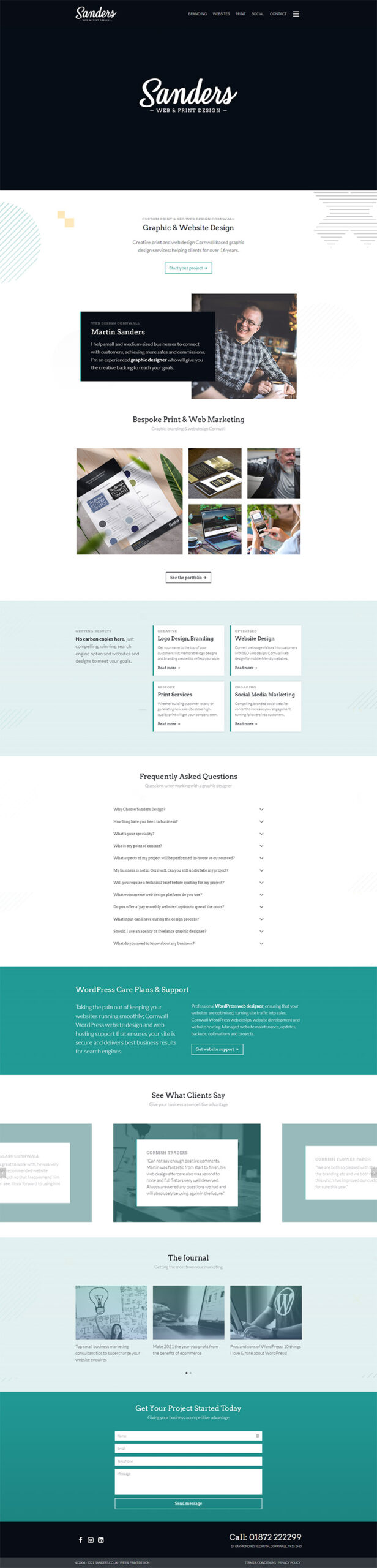
Sanders Design Technology Stack:
- Topic Kadence
- LiteSpeed (cache)
- Contact Form 7
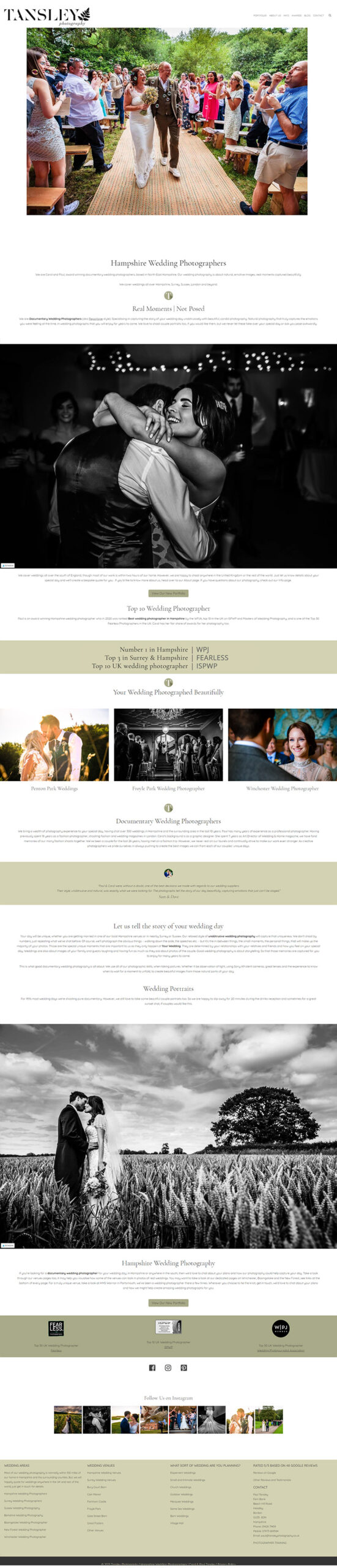
Tansley Photography's Technology Stack:
- Topic Kadence
- WP Rocket (cache)
- ShortPixel (image optimizer)
- Font Awesome
Prices
There are several ways to access the Kadence theme and the Kadence plugins.
Topic Kadence
- Free version
- Kadence Pro Theme - 56 $/year
Whether you purchase just the theme or the subscription, you'll be able to use it on an unlimited number of sites and receive one year of support and updates.
Kadence Blocks Plugin
- Free version
- Kadence Blocks Pro - 59 $/year
Kadence Membership
A Kadence subscription includes access to the Kadence Pro theme, four other themes, Kadence Blocks Pro, and all of its other plugins (there are currently about 15 plugins). The Kadence Pro theme and Kadence Blocks Pro are the highlights of the subscription, but you may also be interested in the other themes and plugins.
There are two different ways to become a member:
- 136 $ per year
- 480 $ for lifetime access
No matter which product or plan you purchase, you'll be able to use it on both your clients' websites and your own, and you'll also be covered by a 30-day money-back guarantee.
Make your website stand out with Kadence Theme Pro and Kadence Blocks Pro, available on Pillbanana at an exceptional price of just $4.99 each! This one-time offer gives you the opportunity to access premium tools that will allow you to design and build an optimized, accessible, and visually stunning website. Take advantage of the advanced functionality and flexibility offered by Kadence Theme Pro and Kadence Blocks Pro to take your online presence to the next level.
Also, check out our subscriptions (weekly, monthly, semi-annual, and annual) and get access to more than 7,800 products with incredible benefits. Transform your online presence with high-quality tools at an affordable price at Pillbanana.
Advantages of the Kadence theme:
- A lightweight, fast-loading theme.
- Even the free version is packed with features.
- Header and footer creators are included even in the free version.
- Full control over page design with Kadence Blocks.
- Startup templates that speed up your development process.
Cons of the Kadence Theme:
- The starter templates and the prebuilt library are good, but not as extensive as those of some competitors.
- Having separate websites for the theme store, the theme, and the Kadence Blocks plugin can be confusing.
Conclusion
With thousands of WordPress themes out there, it's not easy for theme developers to create something that really stands out. However, Kadence is one of those rare themes that exceeds expectations and proves to be special.
While many themes that use a freemium model offer very limited features in the free version (forcing you to upgrade if you want the full benefits), the free version of Kadence will be more than enough for many users. The same goes for the Kadence Blocks plugin. And the starter templates that can be installed for free are just as impressive.
Overall, Kadence is an excellent theme. Since the free version is so capable, you could easily start with it to make sure you like it, and then upgrade to the Pro version when you find you need some of these premium features.
Si quieres conocer otros artículos parecidos a Kadence: Análisis Profundo del Theme puedes visitar la categoría Temas Wordpress.
 Español Español
  English
  Português do Brasil
Leave a Reply